AMMS Full Form: Asset Maintenance Management System
AMMS full form is Asset Maintenance Management System — also used as shorthand for an advanced maintenance management system, the layer where maintenance work and asset performance finally live in one place.
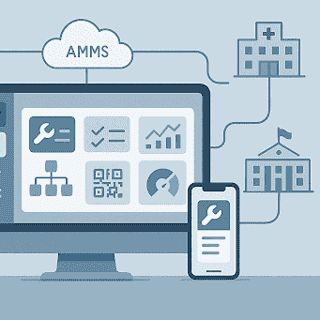
AMMS Full Form: What Does AMMS Stand For?
AMMS stands for Asset Maintenance Management System — software that manages both the maintenance work on your equipment and the performance and lifecycle of the assets themselves, combining a CMMS work order engine with deeper asset intelligence: condition history, cost-per-asset, and replace-versus-repair decisions.
You’ll also see AMMS used as shorthand for Advanced Maintenance Management System — the term used through the rest of this page to describe how eWorkOrders extends a CMMS with enterprise-grade analytics, open integrations, governance, and cross-site control. The two describe the same category: a maintenance platform that goes beyond a standard CMMS.
What Is an AMMS?
An advanced maintenance management system (AMMS) builds on a traditional CMMS by adding enterprise-grade analytics, open integrations (ERP, BMS/SCADA/IoT), governance (standards, roles, audit trails), and cross-site control. Where CMMS digitizes work orders and PMs, AMMS unifies data and decisions to drive measurable uptime and cost results at scale.
How it expands on CMMS:
- Advanced analytics & KPIs: trend MTBF/MTTR, backlog, and compliance across plants/campuses.
- Integrations: APIs to finance/ERP, procurement, sensors, and building systems for real-time triggers and closed-loop workflows.
- Governance & security: standard libraries, role-based access, audit trails for regulated environments.
- Cross-site scalability: templates and benchmarks that normalize processes across locations and mixed asset fleets.
In many programs, the CMMS is still the primary repository for work history and planning — but AMMS capabilities elevate how that data is used (predictive rules, exceptions, benchmarks) to optimize outcomes across the enterprise.
CMMS vs EAM vs IWMS vs AMMS
| Platform | Core focus | Typical scope & strengths | When it fits best |
|---|---|---|---|
| CMMS | Digitize maintenance execution | Work orders, PM scheduling, asset histories, parts, mobile; central system of record for maintenance teams. | Single site or early digitalization where you’re moving off spreadsheets/whiteboards. |
| EAM | Asset lifecycle management | Broader than CMMS: contracts, warranty, lifecycle costing, supply chain tie-ins and finance alignment. | Enterprises managing complex asset portfolios and procurement/lifecycle economics. |
| IWMS | Real estate & facilities orchestration | Space/lease/projects + FM; connects workplace/CRE data across modules and vendors. | Organizations prioritizing portfolios, space, and workplace operations. |
| AMMS | Advanced maintenance at enterprise scale | Everything in CMMS plus cross-site standards, predictive/condition-based workflows, vendor performance, open APIs, and analytics. | Multi-site operations seeking measurable uptime/cost gains and integrated decisioning. |
Core Capabilities of eWorkOrders AMMS
eWorkOrders CMMS delivers advanced maintenance management system capabilities — bringing work orders, preventive/predictive maintenance, assets, inventory, vendor costs, and reporting into one cloud platform. Teams auto-route the right work, keep technicians productive in the field (including low-connectivity areas via the mobile app), control parts and spend, and see performance in real time.
Work Order Automation & Mobile Execution
Define routing rules that auto-create and auto-assign work orders to the right craft or technician, with smart prioritization based on criticality and SLA targets. Techs receive real-time updates, scan QR codes, attach photos, and complete work on mobile — even offline.
Preventive → Predictive Maintenance
Move from time-based PMs to usage/meter/condition-based triggers. Track trend KPIs to spot emerging failure patterns early, and grow into predictive maintenance as your data matures — without needing to re-platform.
Asset & Parts Management
Model full asset hierarchies, link BOMs to assets and work orders, and control spares with min/max levels, reorder points, low-stock alerts, and auto-POs. Tie vendor invoices and part costs back to assets and jobs for true cost visibility.
Vendor/Service-Provider Management
Maintain a centralized record of vendors, contracts, warranties, POs, and invoices. Coordinate third-party service work and capture costs against assets and work orders to keep budgets and compliance tight.
Reporting, Dashboards & KPIs
Build configurable dashboards and reports that surface maintenance KPIs — MTBF, MTTR, PM compliance, backlog, labor and parts costs — so supervisors can act quickly and leaders can track reliability and spend across sites.
Why AMMS vs “Just a CMMS”?
If you’ve digitized maintenance with a CMMS, the next jump is adopting advanced maintenance management system (AMMS) capabilities that drive enterprise-level results. Here’s what “advanced” adds:
- Cross-site governance & standardization: normalize PM libraries, asset taxonomies, priorities, and permissions so every location follows the same playbook and leaders see apples-to-apples results.
- Analytics & benchmarking: move beyond basic reports to portfolio-wide KPIs (MTBF, MTTR, PM compliance, backlog, spend) for trend analysis and continuous improvement.
- Vendor accountability: manage third-party work like an extension of your team — route go-backs to the right provider, capture invoices against WOs, and track performance.
- API ecosystem & integrations: connect CMMS to ERP/finance, HR, BMS/SCADA/IoT, and meters to automate data flows and trigger work from real-time signals.
- Data quality rules & master data discipline: enforce required fields, naming conventions, and clean histories so predictive and cost models are trustworthy.
- Audit controls & compliance readiness: maintain complete asset/WO histories, documents, warranties, and approvals with secure, role-based access and cloud safeguards.
Outcomes You Can Prove in 90 Days
With eWorkOrders CMMS delivering AMMS-level capabilities, you can tighten execution, surface exceptions, and track impact against clear baselines (PM compliance, MTTR, backlog, parts turns) from day one.
Fewer Missed PMs → Lower Unplanned Downtime
- Auto-generate and assign PMs by time, meter, or condition; escalate overdue work with SLA rules.
- Standardize PM libraries across sites so critical checks never slip.
- Track PM compliance and unplanned downtime hours in one dashboard. What to watch: PM compliance ↑, emergency WOs ↓, downtime hours ↓, MTBF ↑.
Faster WO Close → Labor Productivity & Overtime Control
- Route jobs to the right tech automatically; enable mobile/offline completion with QR scans and photo evidence.
- Use priority codes and response/repair time targets to shrink waiting and wrench time.
- Identify bottlenecks (approval, parts, vendor) and remove them with simple rules. What to watch: WO cycle time ↓, first-time fix ↑, overtime hours ↓, backlog age ↓.
Better Parts Planning → Rush Orders Down, Stockouts Down
- Set min/max and reorder points; tie BOMs to assets so parts are ready before the job.
- Attribute parts to WOs/assets for true cost visibility and warranty recovery.
- Reduce premium freight and last-minute purchases with forward-looking demand. What to watch: Stockouts ↓, rush orders ↓, carrying cost ↔/↓, repair delays ↓.
ROI quick math (illustrative): cut unplanned downtime by 10% on a $2M line = ~$200k protected output. Reduce overtime by 8% across 10 techs @ $30/hr, or avoid two rush orders/month @ $400 each = $800/month. Use your own baseline hours, rates, and volumes to plug in exact figures.
Industry Use Cases
Manufacturing
Keep lines running and quality tight. eWorkOrders helps plants coordinate PMs around changeovers, calibrations, and production windows — so technicians hit targets without colliding with schedules. Tie BOMs and parts to assets, track compliance and downtime, and feed plans from your production schedule to carve maintenance windows with less disruption.
Healthcare
For hospitals and labs, compliance and speed matter. Use eWorkOrders to maintain complete device histories, calibration records, and digital logs; route urgent requests to on-call teams with response SLAs; and keep audit-ready documentation with role-based controls and electronic signatures.
Education
Districts and universities juggle sprawling campuses and seasonal peaks. Standardize PMs across buildings, manage service requests, and roll out summer turnarounds or winterization on schedule, with reporting that surfaces backlog and compliance by site.
Government/Public Works
Public agencies need transparency and control. eWorkOrders centralizes multi-site maintenance with audit trails, standardized templates, and vendor cost capture — supporting inspections, accountability, and budget stewardship.
Architecture & Integrations
Open integrations. eWorkOrders provides an API and integration tooling to connect maintenance with the rest of your stack — ERP/finance, procurement, HR, and building/industrial systems and sensors (BMS/SCADA/IoT). Import sensor and meter data to trigger work automatically; export costs and completion data to finance and BI. Single Sign-On (SSO) streamlines secure access.
Data movement & migration. Bulk import/export keeps onboarding and ongoing syncs simple — use vendor templates to migrate assets, locations, parts, and histories cleanly and keep systems aligned as you scale.
Security & governance. eWorkOrders supports role-based access, audit trails, and electronic signatures in a secure, cloud-hosted environment — helping teams meet internal controls and regulatory expectations.
Implementation: 30–60 Day Rollout
A practical, low-risk path to value. This plan assumes a single site (or one pilot area) and scales to additional locations once the playbook is proven.
Week 1–2: Asset hierarchy, PM library, baseline KPIs
- Import/clean the asset register, set parent–child links, criticality, and naming conventions.
- Standardize PM checklists by asset class; set time/usage/condition triggers and safety steps.
- Capture current MTBF, MTTR, PM compliance, backlog, and downtime hours as baselines.
Week 3–4: Mobile rollout, WO automation, vendor onboarding
- Train a core crew on the mobile pilot; test offline completion, photo capture, and QR lookups on real jobs.
- Set routing, priority/SLA rules, notifications, and approval paths for work order automation.
- Load parts with min/max and reorder points; add vendors, contracts, and warranty terms.
Week 5–8: Dashboards, integration hooks, SOPs & training
- Build supervisor and exec dashboards for PM compliance, backlog age, MTBF/MTTR, and cost.
- Connect to ERP/procurement, HR, and BMS/SCADA/IoT meters for automated triggers.
- Publish one-page SOPs and run a weekly KPI review and data-quality check cadence.
See a CMMS That Grows Into Full Asset Management
eWorkOrders has run maintenance and asset operations for over 30 years at 99.99% uptime, for teams including McDonald’s, Burger King, and ASSA ABLOY — rated 4.9 on both Capterra and G2. See how the platform spans work orders and asset performance in a single 90-minute session configured to fit your operation.
Frequently Asked Questions
What is the full form of AMMS?
The full form of AMMS is Asset Maintenance Management System — software that manages maintenance work while also tracking the performance and full lifecycle of the assets being maintained. It’s also used as shorthand for Advanced Maintenance Management System, the enterprise-scale capabilities described on this page.
What does AMMS mean in maintenance?
In maintenance, AMMS means a system that combines a CMMS work order engine with deeper asset intelligence — lifecycle history, per-asset cost of ownership, reliability metrics, cross-site standardization, and analytics that guide replace-or-repair decisions.
Is AMMS the same as CMMS?
Not exactly. A CMMS focuses on maintenance execution — work orders, PMs, and parts. An AMMS keeps all of that and adds full asset lifecycle tracking, cross-site governance, and performance analytics. The two often describe different maturity stages of the same platform.
What is the difference between AMMS and EAM?
AMMS centers on asset lifecycle and maintenance performance, while EAM (Enterprise Asset Management) widens that scope to enterprise-level asset strategy across finance, procurement, and multiple facilities. AMMS is closer to the maintenance and reliability team’s day-to-day work.


