Rotable and Repairable Spare Parts: How to Manage Them
Some spare parts don’t get used up. A motor, gearbox, or pump comes off the equipment, goes out for repair, and comes back to the shelf to be used again. Here’s what rotable and repairable parts are, how they differ from consumables, how to decide when to repair or replace, how many to keep in rotation, and how a CMMS keeps track of each one.
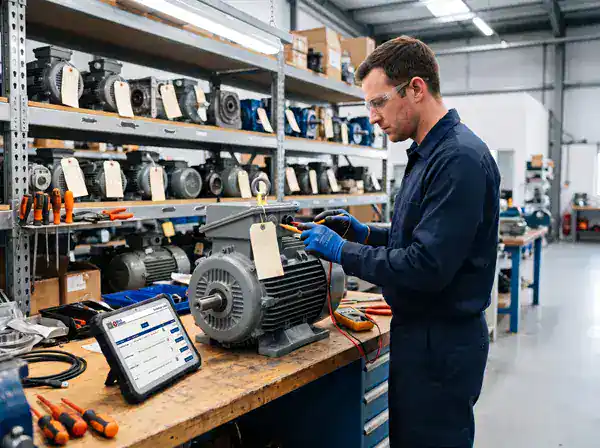
What Are Rotable Parts?
Rotable parts are spare components that can be removed from equipment, repaired or rebuilt, and put back into service many times over their life. Instead of being thrown away when they fail, they “rotate” through a loop: installed, removed, repaired, returned to stock, and installed again.
The term started in aviation, where engines, landing gear, and avionics units are routinely overhauled and reused. The same idea applies in plants and facilities. Electric motors, gearboxes, pumps, hydraulic cylinders, drives, and circuit boards are often worth repairing rather than replacing, and a good maintenance storeroom keeps a few rebuilt units on the shelf so a failed one can be swapped out right away.
Rotable vs. Repairable vs. Consumable Parts
The terms overlap and different industries use them a little differently, but the working distinction is how many times a part can come back.
| Type | What Happens When It Fails | Typical Examples |
|---|---|---|
| Rotable | Repaired or overhauled and returned to stock, usually for an indefinite number of cycles | Motors, gearboxes, pumps, hydraulic cylinders, aircraft engines |
| Repairable | Can be repaired, but only a limited number of times before it’s scrapped | Some circuit boards, valves, actuators |
| Consumable | Used once and discarded | Filters, belts, seals, fasteners, lubricants |
The difference matters because consumables are managed by quantity (how many on the shelf), while rotables and repairables have to be managed as individual units, each with its own serial number, repair history, and current location.
The Rotable Part Lifecycle
A rotable part is always in one of a few states. Knowing which one, for every unit, is the whole job of rotable parts management.
- 1. In stock (serviceable). A repaired or new unit is on the shelf, ready to install.
- 2. Installed. The unit is in service on a specific asset.
- 3. Removed (unserviceable). The unit failed or was pulled during maintenance and is tagged as needing repair.
- 4. Out for repair. The unit is at an in-house shop or an outside repair vendor.
- 5. Returned. The repaired unit comes back, is inspected, and goes back into stock. Or, if it can’t be economically repaired, it’s scrapped and replaced.
The most common place units get lost is between steps 3 and 5. A failed motor gets set aside “to send out later,” or goes to a vendor and no one follows up on when it’s due back. Months later, the storeroom needs one and the spare everyone thought existed isn’t there.
Repair or Replace? A Simple Way to Decide
Repairing a rotable is usually cheaper than buying new, but not always worth it. A rebuilt unit may not last as long as a new one, and repeated repairs can cost more over time. A simple check is to compare the repair cost against the new price, adjusted for how long each will last.
| Rule of Thumb | How It Works |
|---|---|
| Repair if | Repair Cost < New Cost × (Expected Life After Repair ÷ Expected Life of a New Unit) |
For example: a new motor costs $4,000. A rebuild costs $1,500 and is expected to last about 70% as long as a new motor. The break-even repair cost is $4,000 × 0.70 = $2,800. Since $1,500 is well under $2,800, repairing is the better choice.
The same check flags when it’s time to stop repairing. If a unit’s rebuilds keep getting more expensive, or its time between failures keeps getting shorter, the break-even point drops and replacement starts to make more sense. That’s only visible if each unit’s repair cost and failure history are recorded against its serial number.
Also consider lead time and criticality. If a new unit takes months to arrive and the equipment is critical, repairing and keeping a spare in rotation may be the right choice even when the math is close.
How Many Rotable Spares Should You Keep?
For consumables, min/max stock levels are based on how fast parts get used. For rotables, the key number is how long a unit is away being repaired. While one unit is out for repair, you need another one ready to install.
| Measure | How to Calculate It |
|---|---|
| Units Tied Up in Repair | Removals per Year × (Repair Turnaround in Days ÷ 365) |
| Spares to Keep in Rotation | Units Tied Up in Repair, rounded up + a buffer for critical equipment |
For example: a gearbox type is removed 6 times a year, and the repair shop takes about 45 days to return it. That’s 6 × (45 ÷ 365) = 0.74 units out for repair at any given time on average. Rounded up, that’s 1 spare. If the gearbox runs a critical line, adding a buffer of 1 more gives 2 spares in rotation.
Shortening repair turnaround is often the cheapest way to reduce how many spares you need. Cutting the 45 days in half in this example means the same coverage with fewer units sitting in the loop.
How a CMMS Tracks Rotable Parts
Rotables are hard to manage in a spreadsheet because each unit is its own record with its own history. A CMMS connects that history to the work that happens on it.
Tracking by serial number. Each rotable unit has its own record, so you know exactly which motor is installed where, which one is on the shelf, and which one is at the repair shop.
Linked to work orders. When a unit is removed or installed on a work order, the record shows which asset it came off, which asset it went on, and when. Over time, that builds a full history for each unit.
Repair history and cost. Recording each repair and its cost against the unit gives you the numbers you need for the repair-or-replace decision above.
Nothing lost in the repair loop. Units marked as removed or out for repair stay visible until they come back, so no one has to remember what was sent out and when it’s due back.
Accurate counts. Scanning a unit’s tag with barcode scanning during cycle counts confirms which serial numbers are actually on the shelf.
Common Mistakes Managing Rotable Parts
- Tracking rotables by quantity only. “We have 2 motors” doesn’t tell you whether they’re serviceable, which one failed twice last year, or whether one is still at the repair shop.
- Mixing repaired and failed units on the same shelf. Tag and separate unserviceable units the moment they’re removed, so no one installs a failed unit by mistake.
- Letting failed units pile up. A unit sitting in a corner waiting to be sent out is a spare you don’t actually have.
- Repairing forever. Without each unit’s repair history, it’s easy to keep paying for rebuilds long after replacement would have been cheaper.
- Not following up with repair vendors. Record when each unit went out and when it’s expected back, and follow up when it’s late.
Frequently Asked Questions
What’s the difference between a rotable part and a repairable part?
Both can be repaired and reused. The usual distinction is that a rotable can go through repair and return to service an indefinite number of times, while a repairable part can only be repaired a limited number of times before it has to be scrapped. Many maintenance teams use the terms interchangeably.
What are examples of rotable parts in industrial maintenance?
Common examples include electric motors, gearboxes, pumps, hydraulic cylinders, variable frequency drives, and some circuit boards. In aviation, engines, landing gear, and avionics units are classic rotables.
Why do rotable parts need serial number tracking?
Each unit has its own repair history, condition, and location. Tracking by serial number is the only way to know which unit is installed on which asset, which is out for repair, and whether a particular unit has become too costly to keep repairing.
How do you decide how many rotable spares to keep?
Start with how many units are typically out for repair at once: removals per year multiplied by repair turnaround in days, divided by 365. Round that up, then add a buffer for critical equipment or long repair times.
Conclusion
Rotable and repairable parts can save real money compared with buying new, but only if every unit is tracked individually through its full loop: installed, removed, repaired, and returned. Track each unit by serial number, keep its repair history, size your rotation pool around repair turnaround, and use that history to decide when it’s time to stop repairing and replace.
Know Where Every Motor, Pump, and Gearbox Is
A spare that’s sitting at the repair shop can’t fix a breakdown. Keeping every part on record is the job of spare parts and inventory management in a CMMS. eWorkOrders has supported maintenance operations for over 30 years, serving teams at Honda and King River Packaging, rated 4.9 on Capterra and G2.
About the author: Janet Jaquis is Marketing Director at eWorkOrders, where she writes about maintenance strategy, asset reliability, and CMMS software for maintenance and facility teams.


