In industrial manufacturing, equipment failure isn’t just an inconvenience; it’s a direct hit to the bottom line, with unplanned downtime costing industrial facilities an estimated $50 billion annually (Deloitte, 2025). When critical production lines halt, the financial and operational ripple effects scale rapidly across the entire supply chain.
Modern plant floors operate with tight margins, 24/7 shifts, and highly complex legacy machinery. Managing this high-stakes environment requires more than whiteboards or reactive firefighting. It demands a structured approach to asset lifecycles, compliance tracking, and automated wrench-time optimization.
This guide explores how specialized CMMS software helps organizations transition to proactive reliability. By streamlining work order management and tracking robust maintenance histories, facility teams can stabilize their operations, pass critical audits, and scale effectively.
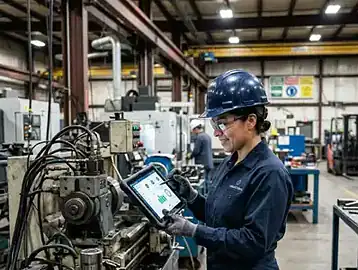
Platform information in this guide is drawn from verified user reviews published on Capterra and G2 as of March 2026. Always verify capabilities directly with vendors. Disclosure: This guide is published by eWorkOrders, which operates in this market. eWorkOrders is included in the comparison table on equal footing with all competitors and is not ranked first.
Why Generic Tools Fail Manufacturing Teams
Standard project management apps and simple spreadsheets completely break down when confronted with the complex realities of industrial maintenance operations and spare parts logistics.
Disconnected Data Silos
Spreadsheets lack real-time visibility, causing delays in identifying critical asset failures and parts shortages across the facility.
Poor Preventive Tracking
Without automated scheduling, routine maintenance is missed, accelerating machine wear and increasing the risk of catastrophic breakdowns.
Inaccurate Inventory
Generic tools cannot dynamically tie spare parts to specific work orders, leading to costly stockouts or bloated, unmanaged inventory.
Compliance Nightmares
Audits from OSHA or ISO require stringent record-keeping that manual systems consistently fail to produce accurately and on time.
- ✗Up to $260,000 per hour in lost production during unexpected equipment outages due to delayed response times.
- ✗Increased legal and regulatory liability during safety audits due to incomplete or missing inspection logs.
- ✗Wasted labor hours spent searching for machine manuals and specific spare parts instead of turning wrenches.
Core Features Checklist
When evaluating CMMS software for manufacturing management, these are non-negotiable capabilities — not nice-to-haves. A platform missing even two of these creates operational gaps that cost real money:
Ask the vendor to demonstrate exactly how the platform handles an emergency equipment breakdown that interrupts an active preventive maintenance task. Does the system automatically pause the PM and strictly log the downtime against the asset for compliance audits?
Manufacturing CMMS Software Comparison 2026
The table below evaluates each platform on where it genuinely excels and which operational profile it best serves. All platforms are listed alphabetically — no platform is ranked first based on commercial interest. Platform information is drawn from verified reviews on Capterra and G2.
| Platform | Best For | Strengths |
|---|---|---|
| eWorkOrders | Complex manufacturing portfolios and multi-site enterprise environments requiring deep custom reporting. | Highly configurable work order workflows and robust asset lifecycle tracking tools. |
| Fiix | Facilities looking for AI-driven predictive insights and straightforward integration with existing ERPs. | Built-in integration ecosystem and AI-powered predictive data analysis capabilities. |
| FMX | Operations focused on straightforward facility scheduling and simple user adoption rates. | Easy-to-use calendar interface and streamlined centralized maintenance request portal. |
| Limble CMMS | Mid-sized manufacturing teams needing a highly responsive mobile application for technicians. | Intuitive mobile application interface and fast deployment for core features. |
| MaintainX | Organizations prioritizing team communication and digitized standard operating procedures. | Native team chat functionality and robust digital standard operating procedures. |
| UpKeep | Asset-heavy operations looking for combined IoT sensor data and maintenance tracking. | Native IoT sensor ecosystem and strong storeroom inventory management tools. |
Understanding CMMS Total Cost of Ownership
The headline per-user price is rarely the full picture. Manufacturing teams consistently report that implementation, training, and integration costs add significantly to year-one spend. The planning ranges below are illustrative estimates based on publicly available pricing data and general industry benchmarks for a 20-user team over 36 months. Actual costs vary significantly by vendor, scope, and configuration. Always request a formal quote before budgeting.
💚 Budget Tier
🔵 Mid-Market Tier
🏢 Enterprise Tier
All figures are illustrative planning estimates based on publicly available pricing data and general industry benchmarks. Implementation, training, and integration costs vary significantly by vendor, team size, existing infrastructure, and project scope. Request formal quotes from each vendor before making any budgeting decisions.
IFMA data (2025) suggests a well-implemented CMMS reduces unplanned maintenance spend by 18–25% within 12 months of full adoption — though actual results will vary based on your starting point and implementation quality. Always consult with vendors directly to model your potential savings.
Which Platform Fits Your Situation?
Different manufacturing facilities face entirely different sets of operational hurdles. Review the scenarios below to see which system best aligns with your primary challenge.
Scenario 1: Scaling Multi-Site Operations
You are managing maintenance across several manufacturing plants and need a unified view of asset performance.
| Required Functionality | Why It Matters | What to Avoid |
|---|---|---|
| Centralized Reporting | Standardizes KPIs across all facilities. | Siloed databases requiring manual aggregation. |
| Role-Based Access | Ensures users only see data relevant to their plant. | Systems with limited administrative permissions. |
| Asset Hierarchy | Organizes complex lines into manageable components. | Flat lists of equipment without parent-child linking. |
Best fit: eWorkOrders, Fiix
Scenario 2: Digitizing Paper Checklists
Your technicians rely heavily on clipboards and manual logs, leading to lost data and slow response times.
| Required Functionality | Why It Matters | What to Avoid |
|---|---|---|
| Mobile App UI | Drives technician adoption on the floor. | Browser-only software that breaks on phones. |
| Custom Form Builder | Mirrors existing compliance paperwork digitally. | Rigid, un-editable system templates. |
| Photo Uploads | Provides visual proof of completed work. | Systems that limit file sizes or attachment numbers. |
Best fit: MaintainX, Limble CMMS
Scenario 3: Advanced IoT Integration
You have PLCs and vibration sensors installed and want to move toward condition-based maintenance.
| Required Functionality | Why It Matters | What to Avoid |
|---|---|---|
| Sensor API Integrations | Pulls live telemetry data into the platform. | Closed systems requiring expensive middleware. |
| Automated Work Triggers | Generates tasks the moment thresholds are breached. | Manual monitoring of separate sensor dashboards. |
| Meter Reading Sync | Updates runtime hours without human input. | Tools requiring manual daily meter updates. |
Best fit: UpKeep, Fiix
Scenario 4: Compliance and Safety Audits
You operate in a highly regulated environment that requires strict historical documentation for ISO or OSHA.
| Required Functionality | Why It Matters | What to Avoid |
|---|---|---|
| Immutable Audit Trails | Proves what was done and exactly when. | Records that can be edited after completion. |
| Electronic Signatures | Validates compliance on safety-critical tasks. | Basic checkmarks without user authentication. |
| Document Repository | Attaches safety manuals directly to the task. | Storing critical documents on local hard drives. |
Best fit: eWorkOrders
Scenario 5: Simple Facility Scheduling
You need a straightforward way to coordinate light repairs, building maintenance, and contractor visits.
| Required Functionality | Why It Matters | What to Avoid |
|---|---|---|
| Calendar Views | Provides a clear picture of daily workloads. | Text-heavy, list-only task management. |
| Request Portal | Allows floor staff to easily submit issue tickets. | Requiring a login license just to submit a ticket. |
| Simple Navigation | Ensures high adoption by non-technical staff. | Over-engineered workflows for simple repairs. |
Best fit: FMX
Quick Decision Tool: Match Your Profile to a Platform
Find the profile that best describes your primary operational challenge.
🏭 Scaling to Multiple Plants
You need standardized reporting and deep asset hierarchies to manage a growing enterprise portfolio.
📱 Mobile-First Transition
You want to get technicians off paper checklists and onto smartphones immediately for basic tasks.
🤖 Moving to Predictive
You have IoT sensors installed and want maintenance tasks triggered automatically by live machine data.
📋 Heavy Audit Requirements
You operate in a highly regulated environment requiring strict, immutable compliance and safety logs.
🏢 Basic Facility Upkeep
You just need a shared calendar tool to track basic repairs, custodial work, and contractor visits.
📦 Inventory Chaos
You are losing money on expedited spare parts and need strict storeroom control and auditing.
Implementation Best Practices for Manufacturing Teams
A successful launch is about change management as much as it is about technology. According to Deloitte (2025), a standard rollout spans 6 to 14 weeks depending on facility size. Accelerating this timeline is entirely possible if you follow a structured CMMS software deployment framework.
System Architecture Setup
Define your naming conventions, user roles, and reporting hierarchies before importing any data. Determine exactly how you will handle asset management logic to ensure parent-child relationships map correctly.
✓ Pro tip: Standardize asset codes across all manufacturing lines first to prevent duplication later.
Data Migration & Cleansing
Export your existing spreadsheets, aggressively cleanse duplicate entries, and upload clean equipment lists. Bad data going into a new system guarantees failure, so prioritize accuracy during this import phase.
✓ Pro tip: Do not import obsolete parts inventory; only migrate active stock components.
Workflow Configuration
Set up custom inspection forms, compliance checklists, and approval routing for standard requests. This is where you transition manual work order management into digitized, automated processes.
✓ Pro tip: Keep mandatory fields to an absolute minimum initially to reduce friction for technicians.
Preventive Schedule Creation
Input OEM machine recommendations and historical failure data to build out your automated calendar. Reliable preventive maintenance scheduling prevents downtime from eating into production hours.
✓ Pro tip: Stagger PM schedules across different days to avoid overloading maintenance shifts simultaneously.
Team Training
Conduct hands-on workshops with your technicians using actual plant floor scenarios instead of generic presentations. Ensure they are comfortable using the mobile application to close out tasks and request parts.
✓ Pro tip: Identify a respected floor champion to lead peer training, which vastly improves buy-in.
Go-Live & Review
Launch the system, closely monitor initial usage patterns, and adjust workflows based on immediate staff feedback. Do not expect perfection on day one; adapt the configuration as real-world issues arise.
✓ Pro tip: Review first-month closure metrics to establish a baseline for future continuous improvement.
Future Trends in Manufacturing Maintenance Technology
Industrial maintenance is evolving rapidly, driven by these four key technological trends projected to reshape the sector over the next 24 months.
Adoption: 2026-2027
AI-Assisted Diagnostics
AI tools will analyze historical repair data to proactively suggest root causes and required components directly within your CMMS software.
Adoption: 2027-2028
Augmented Reality (AR)
Technicians will increasingly use AR headsets to overlay machine schematics hands-free while performing complex repairs on the factory floor.
Adoption: 2026-2027
Edge Computing Sensors
Sensors will process vibration and thermal data locally, sending only critical threshold alerts back to the system to radically reduce network latency.
Adoption: 2026-2028
Native ERP Syncing
Real-time, bi-directional syncing between maintenance systems and enterprise finance software will shift from a premium add-on to a standard requirement.
Frequently Asked Questions
Choosing the right platform is a strategic decision that impacts your entire manufacturing operation. A well-implemented CMMS software transitions your team from constant firefighting to a controlled, predictive environment that protects operational margins.
For complex, multi-site organizations that require robust reporting and adaptable workflows, eWorkOrders provides the structural depth needed to scale. By centralizing your operations and deploying rigorous preventive maintenance protocols, you can effectively extend equipment lifecycles and stabilize your bottom line.
No commitment required · Average demo: 30 minutes · We’ll show you the features that matter for your specific operation


