Advantages of Digitizing Work Order Management for Maintenance Teams
Paper-based work orders create real problems — lost information, delayed approvals, incomplete maintenance histories — that get in the way of reducing downtime and hitting world-class maintenance standards. Here’s what digitizing work order management actually changes, and why it matters for a CMMS-driven team.

What Is a Work Order?
A maintenance work order is a formal document that authorizes and records a specific task, such as repairing equipment or servicing a facility. It serves as the backbone of any organized maintenance program, ensuring work is properly communicated, executed, and tracked. A work order eliminates ambiguity by outlining exactly what needs to be done, where, when, and by whom.
For example, if a conveyor belt in a factory breaks down, a work order would document the issue, authorize the repair, list required parts, and assign a technician. This process ensures the task is handled systematically rather than informally, reducing errors, downtime, and unnecessary costs. Over time, completed work orders also serve as a historical record, helping teams analyze recurring problems and plan better preventive maintenance.
A well-structured maintenance work order typically includes:
- Asset details: Clear identification of the equipment or facility, along with its location.
- Work description: A precise explanation of the tasks required, including any procedures or steps.
- Materials and parts: A list of items needed to complete the repair or service.
- Tools and resources: The specific tools, equipment, and staff required.
- Priority and timeline: The urgency of the request and expected completion timeframe.
- Contact information: Names and details of the requester, technician, and other key parties.
- Cost information: An estimate of the expenses involved.
When used consistently, maintenance work orders not only streamline day-to-day repairs but also form the foundation for long-term preventive maintenance planning.
Key Problems With Traditional Paper-Based Work Orders
Paper-based work orders have long been the standard in maintenance operations, but they create more problems than they solve in today’s fast-paced environment. While they may seem simple and familiar, their limitations become evident when efficiency, accuracy, and real-time visibility are required.
The Real Cost of Staying on Paper
- Facilities running a CMMS see an average 27% reduction in downtime compared to manual, paper-based tracking (Aberdeen Group).
- Unplanned downtime costs manufacturers an average of $260,000 per hour — delays caused by lost or incomplete paper work orders add directly to that bill (Aberdeen Group).
- Moving off paper-based processes onto a CMMS is tied to a 10–40% reduction in total maintenance costs (McKinsey & Company).
- CMMS users see equipment assets last 20% longer on average — paper records make it harder to catch and act on early warning signs (Aberdeen Group).
Sources: Aberdeen Group, McKinsey & Company — see our full sourced breakdown of CMMS benefits.
Delays and Incompleteness
Technicians may forget to record details, handwriting may be unclear, or forms may simply get lost in transit. When critical information is missing, creating and assigning urgent tasks becomes difficult, causing a “domino effect” through the maintenance process. Instead of speeding up resolution, paper work orders can stall it.
Data Inaccuracy and Errors
Manual data entry leaves plenty of room for mistakes — the wrong equipment number, a skipped step, an inaccurate reading. Over time these errors accumulate into unreliable maintenance records, leading to poor decision-making and recurring issues that never get resolved.
Poor Communication
Paper forms are hard to read, slow to distribute, and difficult to share among teams. A completed work order can sit in an office folder for days before reaching the maintenance planner, leaving everyone without a clear picture of what’s been done and what still needs attention.
Inefficient Tracking
Tracking the progress of paper work orders is almost impossible in real time. Supervisors have to physically collect forms or rely on verbal updates, so tasks get forgotten, duplicated, or left unfinished — and downtime climbs, especially on urgent repairs.
Lack of Data-Driven Insights
Paper records offer little value for long-term analysis. Reviewing hundreds of handwritten forms to spot recurring problems or evaluate equipment performance is slow and often inaccurate, so organizations miss opportunities to reduce downtime and extend asset life.
Risk of Loss and Damage
Paper work orders are fragile — they can be misplaced, thrown away, or damaged by water, fire, or ordinary wear. Losing even a few records can disrupt operations, especially when they held safety or compliance information.
Slow Response Times
The manual nature of paper systems slows everything down, from filling out forms to walking them across departments for signatures. Every extra step translates into higher operational costs as equipment stays offline longer than it needs to.
What Digitizing Work Order Management Actually Means
Digitizing work order management means replacing paper-based processes and manual tracking with digital tools that streamline how work orders are created, assigned, monitored, and closed. Instead of relying on spreadsheets, phone calls, or physical paperwork, teams use software or mobile applications to manage every step in real time.
Key Advantages of Digitizing Work Order Management
Below are the key benefits that stand out when using modern work order management software.
Increased Efficiency and Productivity
A digital work order system automates routine steps like creating, assigning, and updating maintenance tasks, so work orders reach the right person instantly. With mobile access, technicians receive status updates and instructions directly on a mobile device, even in the field, and can complete work on-site without a lag between execution and reporting.
Reduced Costs
Automating scheduling and improving planning accuracy lets a maintenance department allocate resources more effectively, lowering unnecessary labor hours and administrative overhead. Preventive maintenance scheduling minimizes emergency repairs and the expensive downtime that comes with them, and better asset data helps extend equipment lifespan and delay costly replacements.
Improved Resource Management
Digital work order software optimizes how labor, tools, and materials are distributed, so no technician is overloaded while others sit idle. Centralized tracking of parts and tools avoids waste and shortages, and real-time data lets managers track requests and adjust assignments on the go.
Enhanced Communication and Visibility
Technicians and managers get automated notifications and real-time updates instead of relying on phone calls, keeping everyone aligned. Digital tracking creates a clear record of completed work and timelines, improving accountability and making performance easy to measure against KPIs.
Data-Driven Decision-Making
Every work order generates data that can be analyzed to spot patterns, helping teams shift from reactive fixes to proactive maintenance. That accumulated data also supports forecasting — predicting peak maintenance periods, estimating labor demand, and budgeting more accurately for parts and repairs.
Increased Accessibility
A CMMS transforms accessibility to maintenance records, letting teams retrieve crucial information quickly and make informed decisions faster.
Reduced Paperwork
Moving from manual paperwork to a CMMS means real liberation from administrative burden, saving time and resources and creating a more efficient working environment. Learn from other organizations using CMMS for predictive maintenance success and our aviation maintenance stories.
Leverage eWorkOrders Digital Work Order Management Software
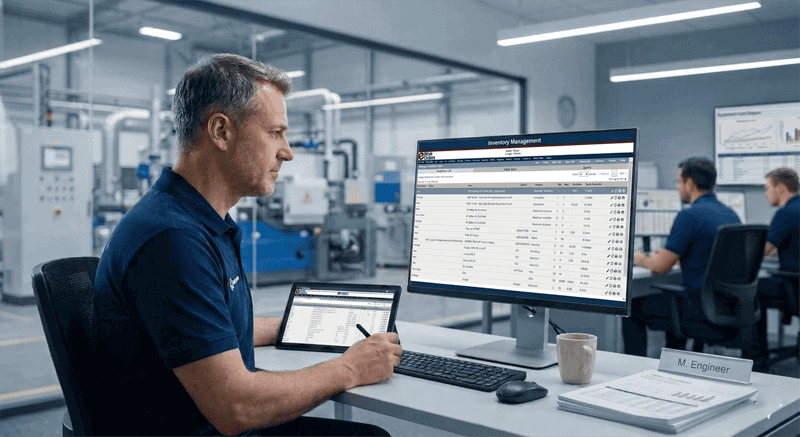
At eWorkOrders, we help digitize work order management to empower maintenance teams to streamline operations, reduce costs, and improve asset reliability. With our Computerized Maintenance Management System (CMMS), organizations can easily track and analyze critical maintenance metrics, leading to better decision-making and more efficient use of resources.
By moving to a CMMS, companies can experience measurable benefits and cost savings, improving overall maintenance efficiency while significantly reducing unplanned downtime. This decreases Mean Time to Repair (MTTR) and extends Mean Time Between Failures (MTBF), so equipment runs longer and more reliably — and work order completion rates improve as planned maintenance becomes easier to sustain.
Our system also contributes to reductions in parts inventory costs and boosts Overall Equipment Effectiveness (OEE), with higher rates of on-time inspections and better production uptime. Those improvements translate into noticeably lower monthly maintenance costs over time.
For teams looking to go further, explore our work order tips, the full benefits of effective work order management, or how a CMMS streamlines operations across industries.
Conclusion
Digitizing work order management is no longer optional — it’s essential for maintenance teams aiming to improve efficiency, reduce costs, and achieve higher reliability. By replacing paper-based processes with a CMMS, organizations gain real-time visibility, streamlined workflows, and accurate data that drives better decision-making. The benefits extend far beyond faster repairs: longer asset life, reduced downtime, smarter resource allocation, and measurable cost savings. With modern tools, maintenance teams can shift from reactive firefighting to proactive excellence, building a foundation for long-term success.
Frequently Asked Questions
What is a maintenance work order, and why is it important?
A maintenance work order documents a specific repair or service task, ensuring clear communication of what needs to be done, by whom, and when. It provides accountability, prevents errors, and creates valuable historical records for preventive maintenance planning.
What problems do paper-based work orders create for maintenance teams?
Paper work orders often cause delays, incomplete data, and communication breakdowns. They’re easy to lose, difficult to track in real time, and make long-term analysis nearly impossible, leading to higher downtime, wasted resources, and poor decision-making.
How does digitizing work order management improve efficiency?
Digitizing eliminates manual paperwork, reduces errors, and speeds up approvals. With mobile access, technicians receive real-time updates and can close jobs instantly. Automated workflows ensure tasks move faster, improving productivity, turnaround times, and overall maintenance performance.
What role does data play in digital work order systems?
Digital work orders generate accurate, centralized data on equipment performance, maintenance history, and resource use. This information supports data-driven decisions, predictive maintenance, and cost forecasting, helping organizations optimize resources, extend asset life, and prevent recurring failures.
How can a CMMS help reduce maintenance costs?
A CMMS reduces costs by automating preventive maintenance, improving resource allocation, and minimizing downtime. It prevents expensive emergency repairs, extends equipment lifespan, and lowers labor inefficiencies, delivering long-term savings while boosting productivity and asset reliability across operations.
See the Difference in Your Own Operation
The fastest way to see what digitizing work order management changes is on your own assets, with your own team.
About the author: Janet Jaquis is a CMMS software specialist with over 8 years at eWorkOrders, where she develops educational content, technical guides, whitepapers, and implementation resources for maintenance management professionals. Her work covers preventive maintenance, work order management, asset reliability, inventory and spare parts, mobile maintenance, and CMMS implementation across manufacturing, healthcare, government, food and beverage, and facilities operations. Janet’s content is grounded in customer testimonials, case studies, industry research, and ongoing engagement with the eWorkOrders product team and customer base. Prior to eWorkOrders, she spent her career at AT&T in enterprise technology, working on the development and launch of AT&T WorldNet — one of the first major commercial internet services — and serving as Product Marketing Manager for AT&T WorldNet and AT&T Satellite Services. She holds a degree in Marketing and previously held PMP (Project Management Professional) certification.


