Small Tools Tracking: A Tool Crib Management Guide
Keeping track of hand tools, power tools, gauges, and other small maintenance equipment can be a challenge in manufacturing plants and maintenance facilities. Tools move between technicians, departments, work areas, and jobsites, and without a consistent tracking process, equipment gets misplaced, replacement costs add up, and technicians lose time searching for tools they need to complete their work.
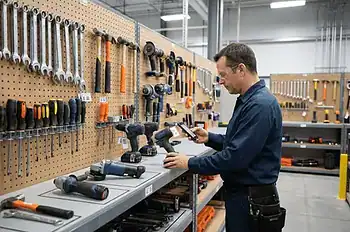
Table of Contents
- What Is a Tool Crib?
- Why Are Small Tools Difficult to Track?
- What Are the Best Ways to Track Small Tools?
- What Information Should a Tool Tracking System Record?
- How Do You Set Up a Tool Check-In/Check-Out Process?
- How Can Maintenance Managers Reduce Tool Loss?
- When Should You Replace a Paper Tool Log With Software?
- How Can a CMMS Help With Small Tool Management?
- FAQs About Small Tool Tracking
- Additional Resources
What Is a Tool Crib?
A tool crib is a designated storage area where a facility keeps shared hand tools, power tools, gauges, and other equipment used by maintenance technicians and employees. It may be a locked room, storage cage, cabinet, or staffed tool room. The goal is to control access, keep tools organized, and maintain a record of which tools are available and who has checked them out.
Some facilities use the terms tool room and tool crib interchangeably. Others use tool room to describe a staffed counter and tool crib for a self-service storage area. Regardless of the name, the purpose is the same: make sure employees can get the tools they need while maintaining accountability for equipment.
A well-managed tool crib should help maintenance supervisors answer a few basic questions:
- Which tools are available for use?
- Who currently has a particular tool?
- Where was the tool last assigned or used?
- Has it been returned in usable condition?
- Does it need repair, inspection, or calibration?
Why Are Small Tools Difficult to Track?
Small tools are difficult to manage because they are used by multiple employees and move frequently throughout a facility. A tool may leave the crib for a maintenance job, move to another department, or be taken to a different work area. If nobody records those changes, the inventory quickly becomes unreliable.
Several common problems make small-tool tracking difficult:
- Tools are shared between employees. A tool may be borrowed by another technician or department without anyone updating the sign-out record.
- Tools move between locations. Equipment can end up in maintenance carts, service vehicles, production areas, storage rooms, or jobsites.
- Technicians lose time searching. When a tool is not where it is supposed to be, employees spend time looking for it instead of completing maintenance work.
- Replacement costs add up. Individual tools may not be expensive, but repeatedly replacing missing drills, meters, wrenches, and other equipment can become a significant expense.
- Tool condition is overlooked. Without a consistent process, damaged tools may be returned to storage without being reported or removed from service.
- Records become outdated. A paper log or spreadsheet is only useful when employees consistently record checkouts, returns, transfers, and repairs.
For maintenance managers, the problem is not just knowing how many tools the facility owns. It is knowing whether the right tools are available, in working condition, and ready when technicians need them.
What Are the Best Ways to Track Small Tools?
Small tools can be tracked with a paper sign-out sheet, spreadsheet, barcode or QR code system, or RFID technology. The right method depends on the number of tools, how frequently they move, how many employees use them, and how much accountability the facility needs.
| Tracking method | How it works | When it makes sense |
|---|---|---|
| Paper sign-out sheet | Employees write down the tool, their name, and the checkout and return information. | Small tool rooms with a limited number of shared or higher-value tools. |
| Spreadsheet | A shared spreadsheet records tool information, assignments, and return status. | Facilities that need a searchable record but have a manageable number of tools and users. |
| Barcode or QR codes | Each tool receives a unique code connected to its record. Employees scan the code to access the associated information. | Facilities that want easier identification and access to tool records without manually searching through lists. |
| RFID tags | Radio-frequency identification tags allow compatible readers to identify tagged items without scanning each one individually. | Larger operations that need to identify or count many tagged tools and equipment items. |
A facility does not necessarily need an automated tracking system to get started. A sign-out sheet may be sufficient for a small tool crib. However, as the number of tools, employees, and storage locations increases, manual records can become harder to maintain.
Before choosing a tracking method, consider how often tools change hands, how frequently items go missing, and how much time employees spend maintaining the records. The best system is one that employees will actually use as part of their daily routine.
What Information Should a Tool Tracking System Record?
A useful tool tracking system should identify each tool, show where it belongs, and provide a record of its use and condition. Maintenance managers should be able to determine who has a tool, whether it is available, and whether it needs attention before it is issued again.
At a minimum, consider recording the following information:
- Tool identification: Tool name, description, manufacturer, model, and serial number when available.
- Assigned location: The tool crib, department, maintenance shop, vehicle, or other location where the tool is stored or used.
- Current custody: The employee responsible for the tool when it is checked out.
- Checkout and return information: When the tool was issued, who received it, and when it was returned.
- Condition: Whether the tool is in service, damaged, under repair, or removed from use.
- Repair history: Previous repairs, reported problems, replacement parts, and maintenance performed.
- Inspection and calibration dates: Required inspection dates, calibration records, and upcoming due dates for tools that need periodic verification.
Not every tool requires the same level of tracking. A common wrench may only need a basic inventory record, while a torque wrench, electrical meter, or other measurement device may require inspection and calibration records.
For tools that require periodic checks, keep inspection and calibration records separate from the everyday checkout process. A tool can be returned to the crib and still be unsuitable for use if its inspection or calibration is overdue.
eWorkOrders also provides a Small Tools Maintenance Checklist covering physical inspection points for hand tools, power tools, and lifting equipment. Tool tracking and tool inspection are different parts of a maintenance program, but both help keep equipment accounted for and in usable condition.
How Do You Set Up a Tool Check-In/Check-Out Process?
A tool check-in/check-out process records who takes a tool, when it leaves the storage area, and when it is returned. It gives maintenance supervisors a way to track shared equipment, follow up on overdue items, and identify tools that are frequently misplaced or returned in poor condition.
Start with a process that is easy for technicians to follow. A complicated sign-out procedure is likely to be skipped, especially when employees are trying to respond to an equipment problem or complete a scheduled job.
- Take an inventory. Walk through the tool crib and identify the tools that need to be tracked. Start with expensive, frequently shared, specialized, or difficult-to-replace equipment.
- Identify each tool. Assign a unique tool number or record. Use a durable label, asset tag, barcode, or QR code where appropriate.
- Assign responsibility. Decide who can issue tools and whether employees need to sign them out individually or through a tool crib attendant.
- Record each checkout. Capture the tool identification, employee name, date, time, and intended job or location when applicable.
- Record each return. Confirm that the tool has been returned, note its condition, and update its availability.
- Follow up on overdue tools. Establish how long tools can remain checked out and who is responsible for contacting employees when an item is not returned.
- Perform regular inventory checks. Compare the physical tools in the crib with the tracking records to identify missing items and correct outdated information.
It is also important to establish a process for damaged or defective tools. Employees should know where to report a problem and how the tool will be identified and removed from service until it is safe to use again.
How Can Maintenance Managers Reduce Tool Loss?
Reducing tool loss starts with accountability and consistent recordkeeping. Maintenance managers need a reliable way to identify who has each tool, where it was last used, and whether it was returned. Clear checkout procedures, regular inventory checks, and timely follow-up can help prevent tools from being misplaced or repeatedly replaced.
These practices can improve control over shared tools:
- Assign tools to individual employees. Record the person responsible for a tool rather than assigning everything to a department or shift.
- Connect tools to jobs when appropriate. Recording the work order or job associated with a checkout can help locate tools that were taken into the plant or out to a jobsite.
- Make the process easy to follow. Keep sign-out instructions simple and make sure employees know where and how to record a checkout or return.
- Review overdue items. Follow up on tools that have not been returned within the expected time.
- Check for recurring problems. Look for tools that are frequently missing, damaged, or sent for repair.
- Control access to storage areas. Depending on the facility, a locked cabinet, secured tool room, or staffed counter may help limit unauthorized access.
- Keep damaged tools out of circulation. Make sure defective equipment is identified and separated from tools that are ready for use.
It is also worth asking technicians where tools tend to go missing. They often know which work areas, jobs, or handoff points create the biggest problems. Their input can help managers improve the process without adding unnecessary steps.
When Should You Replace a Paper Tool Log With Software?
A paper sign-out sheet or spreadsheet can work for a small tool crib with a limited number of users. Software becomes more useful when tools move between departments or locations, employees have difficulty finding equipment, or managers need better records of tool condition, repairs, and assignments.
Consider moving beyond a manual log when:
- The tool inventory has grown and is difficult to keep current.
- Tools are shared between multiple departments, shifts, or facilities.
- Employees regularly spend time looking for tools that should be available.
- There are frequent disagreements about who borrowed or returned an item.
- Supervisors cannot easily determine which tools are available or out for repair.
- Inspection, calibration, or repair records are maintained separately from the tool inventory.
- Management needs consistent reports instead of manually reviewing paper logs and spreadsheets.
There is no fixed number of tools that determines when software is necessary. The decision should be based on the problems the current process creates. If the manual system is working and employees keep the records current, there may be no reason to replace it. If missing information and misplaced tools are affecting maintenance work, a more organized system may be worth considering.
How Can a CMMS Help With Small Tool Management?
A computerized maintenance management system (CMMS) is software used to organize maintenance work, equipment records, preventive maintenance, and repair history. When small tools are set up as tracked assets, a CMMS can help keep their identification, location, condition, and maintenance information together with the facility’s other maintenance records.
For maintenance managers, this can be useful when tool information is scattered across spreadsheets, notebooks, and separate maintenance records. A centralized record makes it easier to review tool information and keep track of work performed.
Keep Tool Records With Other Asset Information
Small tools can be entered as individual asset records in eWorkOrders. Depending on how the facility organizes its records, information such as tool identification, location, condition, and maintenance history can be maintained alongside other equipment records.
Barcode and QR code asset tagging can also help employees identify a tool and access its associated asset information. Learn more about Asset Tagging and QR Codes.
Maintain Repair and Condition History
When a tool is maintained as an asset record, related repair information and work orders can help document its service history. Maintenance managers can review previous work and condition notes rather than relying only on handwritten records or information passed between employees.
Schedule Inspections and Calibration Checks
Tools that require recurring inspections or calibration can be included in a preventive maintenance process. eWorkOrders can support scheduled maintenance activities and checklist items for these tasks. The technician still performs the inspection or calibration and records the results; the software helps organize the schedule and documentation.
Important distinction: Asset tracking and check-in/check-out control are not necessarily the same function. A tool’s asset record can help organize its information and history, but a facility should confirm that its chosen software supports the specific checkout, return, and custody process it needs. Do not assume that scanning an asset tag automatically records a tool transaction.
In Summary
Keeping track of small tools is part of maintaining an organized maintenance operation. When employees can identify available tools, report problems, and maintain accurate records, supervisors have better information for managing equipment and supporting daily maintenance work.
There is no single right way to track a tool crib — the right method is the one your employees will actually use, consistently, as part of their daily routine.
FAQs About Small Tool Tracking
What is the purpose of a tool crib?
A tool crib provides a controlled location for storing and issuing shared tools and equipment. It helps maintenance teams organize their tools, track who has checked them out, and make sure equipment is returned and available when needed.
What is the best way to track tools in a maintenance department?
The best method depends on the number of tools, employees, and locations involved. A paper sign-out sheet may work for a small tool room. Larger operations may benefit from spreadsheets, barcode or QR code identification, or software that keeps tool records and maintenance information together.
How do you keep track of who has a tool?
Use a check-in/check-out process that records the tool, the employee receiving it, the checkout date, and the return date. If tools are used for specific jobs, record the work order or job location as well.
Can barcodes or QR codes be used to track small tools?
Yes. A barcode or QR code can be assigned to an individual tool and connected to its record. Scanning the code can help employees identify the tool and access its information. Whether a scan also records a checkout or return depends on the software and process being used.
How can maintenance managers reduce lost tools?
Use consistent checkout and return procedures, assign responsibility to individual employees, follow up on overdue items, and perform regular physical inventory checks. Make it easy for technicians to record tool transfers and report damaged or missing equipment.
Can a CMMS track small tools?
A CMMS can help organize small tools as tracked assets, including their identification, location, condition, repair history, and scheduled maintenance activities. Facilities should confirm whether the software also supports their specific tool checkout and return requirements.
Keep Tools and Assets in One System
Join Honda, King River Packaging, McDonald’s, KFC, and thousands of maintenance teams managing tools, assets, and work orders on eWorkOrders. eWorkOrders has supported maintenance and facilities operations for more than 30 years, with a 4.9 rating on both Capterra and G2.
Book a Free DemoSee What Our Customers Are Saying
Additional Resources
About the author: Janet Jaquis is Marketing Director at eWorkOrders and a CMMS software specialist with over 8 years at the company. She develops educational content, technical guides, and implementation resources for maintenance management professionals across manufacturing, healthcare, government, food and beverage, and facilities operations.
Disclaimer: This article provides general information only. The right tool tracking approach depends on your own facility’s tool inventory, risk tolerance, and operational needs. The author and publisher are not liable for any actions taken based on the content presented herein.


