Asset Management Software: Types, Key Features, and How to Choose
“Asset management software” covers more ground than most buyers realize — from a module inside a CMMS to a standalone barcode tracker to a full enterprise asset management (EAM) platform. Here’s how the categories actually differ, and how to figure out which one fits your operation.
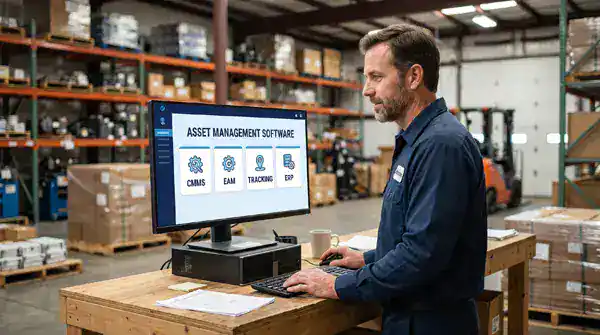
What is asset management software?
Asset management software is any system that tracks physical assets — equipment, vehicles, facilities, IT hardware — through some or all of their lifecycle: acquisition, deployment, maintenance, depreciation, and eventual disposal. That’s a broad definition on purpose, because the category itself is broad. A simple barcode-scanning app and a full enterprise asset management platform both technically qualify, but they solve very different problems.
The confusion buyers run into is that vendors use “asset management software,” “CMMS,” and “EAM” somewhat interchangeably in marketing copy, even though the tools underneath vary a lot in scope. Knowing the real differences before you evaluate anything saves a lot of wasted demo time.
The 4 types of asset management software
| Type | What it’s built for | Best fit |
|---|---|---|
| CMMS-based asset management | Asset records tied directly to work orders, PM schedules, and parts — maintenance is the primary job, asset tracking supports it | Single or few-site facilities and manufacturers whose main need is running maintenance, not enterprise-wide asset accounting |
| Enterprise Asset Management (EAM) | Everything a CMMS does, plus deeper multi-site asset lifecycle, cost, and compliance tracking at scale | Larger, multi-site, or asset-intensive organizations that need lifecycle cost and compliance visibility across many locations |
| Standalone asset tracking software | Barcode/RFID scanning and location/inventory tracking, with little or no maintenance workflow | Organizations that only need to know where assets are — IT hardware, tools, furniture — not manage their upkeep |
| ERP asset modules | Financial asset accounting — depreciation, capitalization, disposal — embedded in a larger ERP system | Finance-driven asset accounting needs, usually paired with a separate CMMS or EAM for the maintenance side, since ERP modules rarely handle work orders well |
See Enterprise Asset Management (EAM) Software for a deeper look at where the EAM category sits relative to a standard CMMS.
Key features to evaluate
- Asset registry and hierarchy. Every asset needs a record, and those records need to nest correctly — a component under an asset, an asset under a system, a system under a site. See asset hierarchy for how this structure should work.
- Tagging and identification. QR codes, barcodes, or RFID that let a technician pull up an asset’s full history by scanning it in the field. See asset tagging and QR codes.
- Lifecycle and depreciation tracking. The software should track an asset from acquisition through disposal, including book and tax depreciation where that matters. See asset lifecycle management and asset depreciation.
- Work order integration. Asset data is only useful if it connects directly to the maintenance work happening on that asset — a separate asset tracker that doesn’t talk to your work order system creates double entry, not less work.
- Mobile access. Technicians need to see and update asset records from the field, not just from a desktop in the office.
- Reporting. Downtime, cost, and reliability data need to roll up by asset, system, and site so the numbers are usable for budgeting and capital planning, not just record-keeping.
How to choose
The right category usually comes down to scale and what you actually need to do with the data, not company size alone:
- Single site, maintenance is the main need: a CMMS with a solid built-in asset module covers this without the overhead of a separate EAM platform.
- Multiple sites, regulated or asset-intensive operations: look for EAM-level depth — multi-site reporting, deeper compliance and audit trails, lifecycle cost tracking at scale.
- Only need to know where things are, not manage upkeep: a standalone tracking tool can work short-term, but most teams outgrow it quickly once they also need to manage maintenance on the same assets — at which point running two disconnected systems becomes its own problem.
- Finance-driven depreciation and capitalization tracking: an ERP asset module handles the accounting side well, but it’s rarely a substitute for a CMMS or EAM on the maintenance side.
The asset management software market reflects how many organizations are actively moving off spreadsheets and disconnected tools: the global EAM software market alone is projected to grow from $7.76 billion in 2026 to $12.55 billion by 2031, a 10.1% CAGR (MarketsandMarkets).
Asset management software in eWorkOrders
eWorkOrders combines CMMS-level work order management with EAM-level asset tracking in a single system, so most teams don’t have to choose between the two categories or run separate tools that don’t talk to each other. Asset hierarchy, tagging, lifecycle and depreciation tracking, and mobile access are all built into the same asset record that drives your work orders and PM schedules.
See asset management with a CMMS for the full picture of how these pieces fit together, or Enterprise Asset Management (EAM) Software for the multi-site, larger-scale view.
See how eWorkOrders combines CMMS and asset management in one system
eWorkOrders has supported maintenance operations for over 30 years, serving teams at Honda and King River Packaging, and rated 4.9 on both Capterra and G2.
Frequently Asked Questions
What is asset management software?
Asset management software tracks physical assets through some or all of their lifecycle — acquisition, deployment, maintenance, depreciation, and disposal. The category spans simple barcode trackers, CMMS asset modules, full enterprise asset management (EAM) platforms, and ERP financial asset modules.
What’s the difference between a CMMS and asset management software?
A CMMS is maintenance-first software with an asset module built in. “Asset management software” is a broader category that includes CMMS asset modules but also standalone tracking tools, EAM platforms, and ERP asset accounting modules that may not handle work orders at all.
Do I need EAM or is CMMS-level asset management enough?
A CMMS with a solid asset module is usually enough for a single site focused on maintenance. Multi-site or asset-intensive operations that need deeper compliance, audit, and lifecycle cost visibility across locations typically need EAM-level depth.
Can I just use a standalone asset tracking tool instead?
You can, if you only need to know where assets are located. Most teams outgrow this quickly once they also need to manage maintenance on those same assets, since a disconnected tracker that doesn’t talk to your work order system creates duplicate data entry.
What key features should I look for when evaluating asset management software?
An asset registry with a proper parent-child hierarchy, tagging/scanning support, lifecycle and depreciation tracking, direct work order integration, mobile access, and reporting that rolls up by asset, system, and site.
- MarketsandMarkets — Enterprise Asset Management Market Report 2026: global EAM software market size and forecast (2026–2031)
About the author: Janet Jaquis is Marketing Director at eWorkOrders, where she writes about maintenance strategy, asset reliability, and CMMS software for maintenance and facility teams.


