CMMS Buyer Guide • By Jeff Roscher, Founder & CEO • Updated October 2026
Best CMMS Software in 2026: What Maintenance Teams Should Compare Before Choosing a Platform
Choosing the right CMMS can improve equipment reliability, reduce downtime and help your team work more efficiently. In this guide, we review the top CMMS platforms for 2026 and highlight the key factors maintenance managers, facilities directors, plant managers and operations leaders should compare before booking a demo.

Takeaways
How We Evaluated CMMS Platforms
We ranked nine CMMS platforms against the same eight criteria, using published Capterra reviews and each vendor’s documented features.
Work Orders
Flexibility and ease of use
Preventive Maintenance
Scheduling and automation
Reporting
Depth and customization
Mobile Usability
Functionality for field teams
Customization
Ability to adapt to your workflow
Support
Responsiveness and expertise
Integrations
Compatibility with your systems
Implementation
Time, training and resources
Quick Comparison: Top CMMS Software in 2026
Listed in ranked order. Ratings are Capterra scores at time of writing.
| Vendor | Best For | Rating (Capterra) | Main Strength | Main Limitation |
|---|---|---|---|---|
| eWorkOrders | Teams wanting a fast rollout and hands-on support, across industries | 4.9/5 ★★★★★ | Easy to use, standout support, unlimited users on Starter and Advanced plans | Advanced custom reports may need help from support |
| MaintainX | Mobile-first teams | 4.8/5 ★★★★★ | Modern mobile app, AI-assisted procedures | Advanced reporting reserved for higher tiers |
| Limble | Teams that want guided onboarding | 4.8/5 ★★★★★ | Hands-on implementation support | Per-license pricing adds up for larger teams |
| UpKeep | Straightforward work order tracking | 4.6/5 ★★★★☆ | Easy-to-learn mobile app | Limited reporting; key features in higher tiers |
| Fiix | Manufacturing teams with complex PM logic | 4.5/5 ★★★★☆ | Nested, event-triggered PMs; industrial integrations | Custom reports require SQL |
| eMaint | Regulated industries needing deep configuration | 4.5/5 ★★★★☆ | Configurability and dedicated Customer Success Managers | Admins need real training; X4-to-X5 migration friction |
| Fracttal One | International teams wanting KPI dashboards | 4.6/5 ★★★★☆ | Automated availability, MTBF and MTTR dashboards | One active session per account |
| IFS Ultimo | Hospitals and multi-department facilities | 4.4/5 ★★★★☆ | Maintenance, IT and facilities in one platform | Deeper customization usually needs consultants |
| Brightly Asset Essentials | Education and government facilities, fleet | 4.4/5 ★★★★☆ | Fleet and facilities reporting | Mobile app reliability is the top complaint |
In-Depth Reviews
A closer look at the top CMMS platforms, including key strengths, limitations and what to consider for your team.
eWorkOrders
#1 Overall
Best for
Teams wanting a fast rollout and hands-on support, across manufacturing, healthcare, government, education and facilities.
Strengths
- Easy to learn and quick to set up
- Strong work orders, PMs, inventory and purchasing
- Full mobile access with nothing to install
- Support reviewers name by staff member
Limitations
- Advanced custom reports may need help from support
User rating
4.9/5 ★★★★★ Capterra
Key thing to consider
A strong fit if you want broad features, a short path to go-live and a support team that knows maintenance.
MaintainX
#2
Best for
Mobile-first teams.
Strengths
- Modern, app-like interface
- AI-assisted procedures and checklists
- Strong real-time mobile experience
Limitations
- Deeper KPI and analytics features sit in higher tiers
User rating
4.8/5 ★★★★★ Capterra
Key thing to consider
Confirm which reporting features are included in the tier you’re quoted.
Limble
#3
Best for
Teams that want guided onboarding.
Strengths
- Onboarding specialists credited by name
- Flexible asset and PM setup with QR codes
- Live-chat support with real people
Limitations
- Per-license pricing adds up for larger teams
User rating
4.8/5 ★★★★★ Capterra
Key thing to consider
Model license costs at your full team size, including growth.
UpKeep
#4
Best for
Straightforward work order tracking.
Strengths
- Mobile app easy for non-technical users
- Good for basic work order and asset tracking
- Desktop, iOS and Android apps
Limitations
- Reporting is limited; automation needs higher tiers
User rating
4.6/5 ★★★★☆ Capterra
Key thing to consider
Ask for references who use the PM and purchasing modules.
Want to See How eWorkOrders Compares?
See how eWorkOrders handles work orders, preventive maintenance, assets, reporting and inventory for your maintenance operation.
What to Look for Before Choosing a CMMS
Use this checklist to compare platforms and ask the right questions during your evaluation.
Trusted by Maintenance Teams Across Industries
eWorkOrders is used by organizations in manufacturing, healthcare, education, government and more.
“eWorkOrders is super easy to learn and use! It is very easy to setup as well. They provide excellent customer service. When I have a question or concern, they respond within hours, not days.”
“For the last 24 years, I have been managing the maintenance and repair of over 42 McDonald’s restaurants. We decided to implement eWorkOrders throughout our restaurants. That was the best move I have ever made! Being able to put in a service request and manage work orders from a mobile device is just awesome. I wish I had eWorkOrders years ago.”



Why Maintenance Teams Choose eWorkOrders
A flexible, reliable and scalable CMMS for complex maintenance operations.
Flexible Workflows
Work orders, PMs, assets and inventory set up around how your team already works.
Powerful Reporting
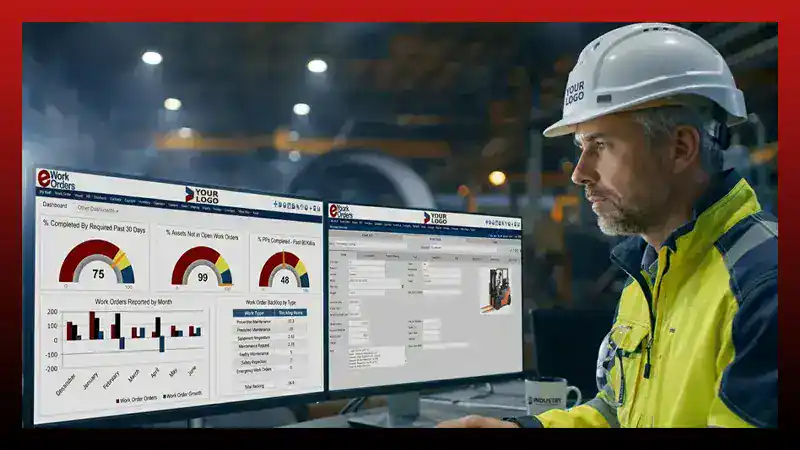
Customizable dashboards and reports for PM completion, backlog and more.
Expert Support
A quick path to go-live and a responsive team that understands maintenance.
30+ Years in the Market
A trusted CMMS since 1993, with unlimited users on Starter and Advanced plans.
Ready to Compare eWorkOrders With Your Current CMMS?
Book a live walkthrough based on your maintenance workflow. No sales pressure, just a personalized walkthrough.
- See the features that matter to your team
- Get answers to your specific questions
- Learn how eWorkOrders can fit your workflow
Prefer to talk now? Call (888) 333-4617 · Mon–Fri, U.S. business hours
Schedule a Free Demo
No obligation • Takes less than a minute
Frequently Asked Questions
What is the best CMMS software?
In our 2026 comparison, eWorkOrders ranks #1, with the highest Capterra rating of the platforms we compared (4.9) and consistently strong reviews for support and ease of use. We make eWorkOrders, so weigh our view accordingly. The right fit still depends on your team: mobile-first teams often look at MaintainX, and regulated industries needing deep configuration often consider eMaint.
Is CMMS different from work order software?
Work order software focuses on creating, assigning and tracking jobs. A CMMS includes that, plus preventive maintenance scheduling, asset records and history, spare parts inventory and maintenance reporting in one system.
How much does CMMS software cost?
Pricing varies by vendor, plan tier, number of users and add-on modules. Watch for features locked to higher tiers and for implementation or training fees. Request a current quote for your team size from each finalist rather than relying on published list prices.
Can I migrate from another CMMS?
Usually, yes. Most platforms let you export assets, work order history and inventory, typically via CSV or API. Ask both your current and new vendor exactly what transfers, in what format, and who does the import.
What should I look for in a CMMS?
Start with the work your team does every day: work orders, PM scheduling, asset history, parts and reporting. Then check mobile usability, how much you can customize yourself, what support and implementation include, and which features depend on the pricing tier.
How long does CMMS implementation take?
It depends on the number of assets, sites and integrations, and how clean your existing data is. Simpler platforms can be live quickly, while enterprise systems often take much longer and involve consultants. Ask each vendor for a realistic timeline for a team your size.
Disclosure: This guide was created by eWorkOrders to help maintenance teams evaluate CMMS software. eWorkOrders is a CMMS provider, so references to our product reflect our own perspective. Information about other products is based on publicly available sources and may change over time. We encourage buyers to verify current features, pricing and capabilities directly with each provider.
Trademark Notice: All third-party product names, trademarks and company names mentioned are the property of their respective owners. Their use is for identification and comparison purposes only and does not imply affiliation with or endorsement of eWorkOrders.


