Best CMMS for School Districts (2026): K–12 Comparison
For a K–12 school district, eWorkOrders lets every teacher, principal and staff member submit requests through a no-login request form, and its Starter ($380/month) and Advanced ($480/month) plans include unlimited users, so custodians and technicians never add per-seat fees. Below, we compare it with seven other CMMS platforms for school districts.
Key Takeaways
- eWorkOrders is best for districts that want every school on one flat price — unlimited users on Starter and Advanced, a no-login request form for teachers, plus preventive maintenance automation, capital forecasting, compliance reporting, and district-wide dashboards.
- Education-specific platforms exist for a reason. Schools carry compliance burdens (fire, OSHA, ADA, boiler certification, air quality) and multi-campus oversight that generic CMMS tools weren’t built around.
- Pricing model matters more than list price. Per-user pricing grows with every custodian and requester; eWorkOrders Starter ($380/month) and Advanced ($480/month) are flat for unlimited users.
- ROI comes from fewer emergency repairs, lower overtime, better capital forecasting, and longer asset life — not just the software itself.
- Choosing the right fit is a 6-step process: audit your campuses, assess your PM-to-reactive ratio, define compliance needs, check mobile access, plan data migration, and train staff.
School maintenance is no longer just about fixing classrooms. Modern K–12 districts and universities manage HVAC systems, boilers, fire alarms, athletic facilities, transportation fleets, security systems, and aging infrastructure across multiple campuses.
Implementing structured preventive maintenance supported by a modern CMMS (Computerized Maintenance Management System) reduces emergency repairs, improves compliance documentation, and increases asset lifespan.
This 2026 guide compares leading CMMS platforms for school districts and higher education institutions, breaks down what a school CMMS should handle across your campuses, and explains how to choose the right system. For the broader operational picture — safety, grounds, and day-to-day upkeep — see our school and campus maintenance overview.
Why School Maintenance Requires Specialized CMMS Software
Educational facilities face unique challenges that differ from manufacturing or healthcare environments.
1. Aging Infrastructure
Many public school buildings are 40+ years old, increasing repair frequency and capital planning complexity.
2. Compliance & Safety Requirements
Schools must document OSHA compliance, fire inspections, ADA accessibility, indoor air quality testing, boiler certifications, and playground safety audits.
3. Multi-Campus Oversight
Districts often manage multiple elementary, middle, and high schools, administrative buildings, and transportation facilities.
4. Public Budget Accountability
Maintenance costs must be transparent and defensible to boards, taxpayers, and funding agencies.
What Makes the Best CMMS for a School District?
- Preventive maintenance automation
- Staff work order request portals
- Unlimited or low-cost requester and user accounts
- Asset lifecycle management
- Capital planning support
- Compliance documentation tracking
- Multi-site reporting dashboards
- Mobile technician access
- Inventory and spare parts tracking
Schools that increase preventive maintenance compliance often reduce emergency repairs and extend equipment lifespan.
What a School CMMS Handles Across the District
A school CMMS maps to the real areas your team is responsible for — buildings, HVAC, grounds, and the bus fleet — and gives each one a repeatable process instead of a scramble.
| School facility area | What the CMMS handles |
|---|---|
| Buildings & classrooms | Corrective work orders, custodial requests, room-level asset history, and lifecycle records for roofs, doors, and flooring across every campus. |
| HVAC, boilers & utilities | Preventive maintenance schedules, filter and inspection tasks, meter readings, and condition-monitoring alerts that auto-generate work orders before a unit fails during class. |
| Grounds & athletic fields | Seasonal task calendars, field-prep checklists, irrigation and mower PMs, and safety inspections logged with photos and timestamps. |
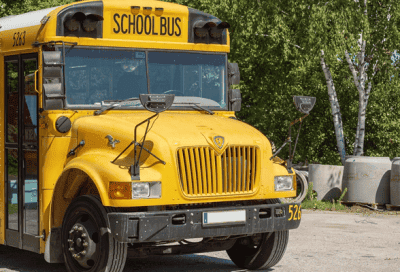
| Bus & vehicle fleet | Fleet PM by mileage or hours, DOT inspection tracking, parts usage, and cost history per vehicle for budget and replacement decisions. |
| Work-request intake | A simple service-request form for staff — no login required — that routes, prioritizes, and tracks every request to the right technician with status updates. |
The work-request piece matters most for adoption. When a teacher can report a broken thermostat in thirty seconds and see it acknowledged, the requests stop coming as hallway conversations and start living in the system where they can be prioritized and measured.
8 Best CMMS Platforms for School Districts in 2026
1. eWorkOrders — Best for Districts That Want Every School on One Flat Price
eWorkOrders CMMS gives teachers and staff a no-login request form, and its Starter ($380/month) and Advanced ($480/month) plans include unlimited users — so adding custodians, technicians, or another school never adds a per-seat fee. It supports preventive maintenance automation, asset lifecycle tracking, capital forecasting, compliance reporting, and district-wide dashboards. Districts that need multi-site tools, SSO, and user roles use the Enterprise plan.
2. Asset Essentials by Siemens (formerly Brightly / SchoolDude) — Long K–12 History
Started as SchoolDude, became Brightly, and is now part of Siemens. Its Asset Essentials CMMS offers asset tracking, facility condition assessments, capital planning, and energy management modules. Pricing is not published.
3. FMX — Best for Small & Mid-Sized Schools
User-friendly work order portal with preventive scheduling and asset tracking tools.
4. Limble CMMS — Ease of Use
Intuitive interface and mobile-first preventive maintenance tools.
5. UpKeep — Mobile Maintenance Teams
Strong mobile app for decentralized facilities crews.
6. Fiix CMMS — Analytics & Integration
Advanced dashboards, API integration, and predictive maintenance support.
7. MaintainX — Technician Collaboration
Messaging features and digital work order workflows.
8. IBM Maximo — Large University Systems
Enterprise asset management platform suited for large university campuses.
To weigh these platforms feature-by-feature, use our full CMMS software comparison.
Key Maintenance KPIs for Schools
- Preventive Maintenance Compliance Rate
- Planned vs. Reactive Maintenance Ratio
- Work Order Backlog
- Mean Time to Repair (MTTR)
- Maintenance Cost per Square Foot
- Asset Downtime by Campus
Tracking these KPIs improves decision-making and strengthens budget transparency.
Cost of School Maintenance Software
Pricing depends on the model as much as the platform. Per-user pricing grows with every custodian, technician, and administrator who needs access. Flat pricing does not: eWorkOrders Starter is $380/month and Advanced is $480/month with unlimited users, and teachers submit requests through a no-login form on any plan. Districts that need multi-site tools, SSO, and user roles move to Enterprise at $45–$120 per user per month (5-user minimum). See full pricing and plans.
ROI typically comes from reduced emergency repairs, lower overtime costs, improved capital forecasting, and extended asset lifespan. That backlog is the real risk to watch: deferred maintenance compounds quietly until a $2,000 repair becomes a $40,000 replacement. A CMMS makes deferred work visible and dollar-figured instead of buried in memory.
Districts that move from reactive to scheduled PM typically catch failures earlier and stretch equipment life — turning emergency overtime and rush parts into planned, budgeted work.
How to Choose the Right CMMS for Your District
- Audit all campuses and facilities.
- Assess preventive vs. reactive maintenance ratios.
- Define reporting and compliance requirements.
- Evaluate mobile accessibility for technicians.
- Plan asset data migration.
- Train staff and monitor KPIs.
A few criteria separate real fits from demos that look good and stall on rollout:
- Multi-site from the start. You should see all schools in one view and drill into any single campus, with assets and costs tracked per building.
- Easy staff request intake. Teachers and coaches won’t learn software. A no-login request form that anyone can use is what keeps work orders flowing in.
- Pricing that fits a district. Per-user fees punish you for adding custodians and requesters. Unlimited-user pricing lets every school participate without a budget conversation.
- Room to grow. Start with just a service-request module or the PM engine, then expand into full asset and inventory management as your team gets comfortable.
Strengthen School Facility Reliability with eWorkOrders
Moving from reactive repairs to structured preventive maintenance improves safety, compliance, and budget efficiency. eWorkOrders has run maintenance operations for over 30 years with 99.99% uptime and a 4.9 rating on both Capterra and G2. We configure the platform to fit your district in a single 90-minute-to-two-hour session, and unlimited-user pricing means every school, custodian, and requester is included — no per-seat math.
Frequently Asked Questions
What is the best CMMS for a school district?
The best CMMS for a school district depends on district size, campus count, compliance requirements, and how many people need access. For districts that want every school on one flat price, eWorkOrders includes unlimited users on its Starter ($380/month) and Advanced ($480/month) plans, plus a no-login request form for teachers and staff. It holds a 4.9 rating on Capterra and G2 and has served maintenance operations for over 30 years.
How much does CMMS software cost for a school district?
Per-user platforms charge for every custodian, technician, and administrator, so cost grows with the district. eWorkOrders Starter is $380/month and Advanced is $480/month with unlimited users; districts needing multi-site tools, SSO, and user roles use Enterprise at $45–$120 per user per month (5-user minimum).
Does CMMS help reduce school maintenance costs?
Yes. Preventive maintenance automation reduces emergency repairs, lowers overtime costs, and improves long-term budget and capital planning.
Can school maintenance software track compliance inspections?
Yes. Modern CMMS platforms document fire inspections, OSHA compliance, ADA checks, indoor air quality testing, and other safety audits.
Is CMMS suitable for small schools?
Yes. Smaller schools benefit from simplified work order management and preventive maintenance scheduling, without the overhead built for a large enterprise district.
Can school maintenance software manage the bus fleet too?
Yes. A CMMS tracks fleet preventive maintenance by mileage or hours, logs DOT inspections, records parts usage, and keeps per-vehicle cost history — so buildings, grounds, and vehicles all live in one system instead of separate tools.
How is this different from the school maintenance overview page?
This page compares CMMS platforms and explains how to choose one — the buyer’s angle. For the broader operational overview of campus upkeep, safety, and grounds, see our school maintenance resource.


