Schedule a Free Demo
No obligation • Takes less than a minute
Enterprise Asset Management (EAM) Software
Enterprise Asset Management (EAM) Software is a comprehensive system built inside a CMMS that tracks, manages, and optimizes every physical asset across its entire lifecycle — from acquisition and deployment through maintenance, depreciation, and decommissioning — giving organizations full visibility and control over their asset portfolio from a single platform.
eWorkOrders gives maintenance managers and facility operators a unified platform to register assets, track service history, schedule maintenance, monitor performance, and manage lifecycle costs — across every site, from any device — so nothing gets missed and no asset goes unaccounted.
Stop managing assets reactively. Start tracking the full picture — before costs spiral out of control.

Customers Love Us!















EAM Capabilities Built Into Every Work Order
Real asset intelligence — from the registry to the dashboard to the field.
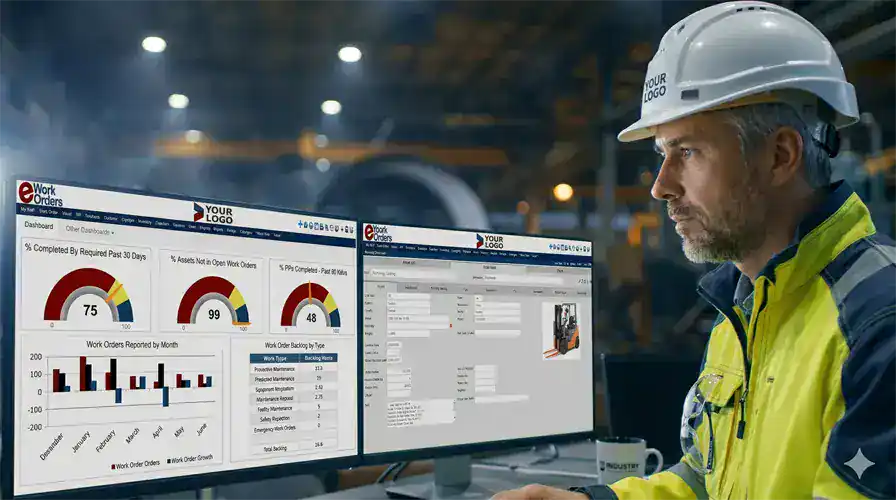
Every Asset. Every Site. Every Status — On One Screen
The eWorkOrders EAM dashboard gives maintenance managers and facility directors a live view of every asset across all locations — organized by site, category, criticality, or status. You can see what is running, what is due for service, and what has open work orders in real time, without pulling a single report or making a single phone call.
Each asset record carries a complete, searchable history — every work order, PM, inspection, parts replacement, cost entry, and technician note — building an asset lifecycle record that gets richer over time. That record drives better maintenance decisions and supports regulatory audits without last-minute scrambling.
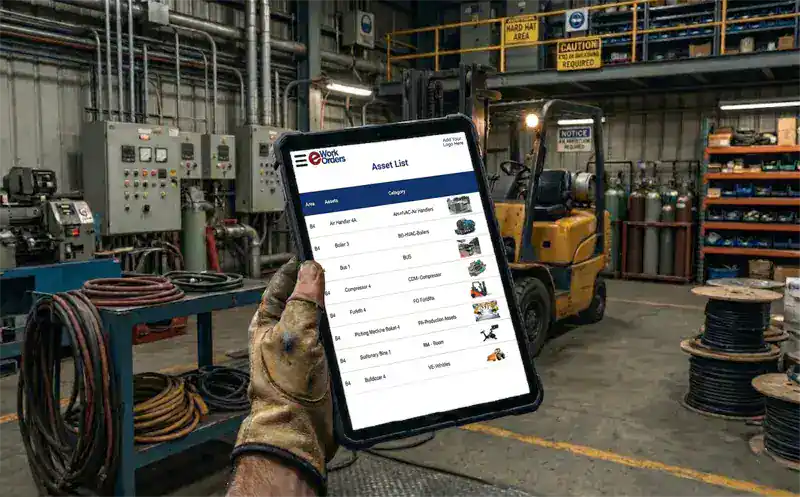
Technicians Have the Full Asset Record Before They Arrive at the Equipment
When a technician is dispatched to an asset, the eWorkOrders mobile app gives them instant access to the complete asset profile — full maintenance history, OEM documents, open and closed work orders, installed parts, and current meter readings — all from their phone or tablet at the equipment. No office visit. No calling the help desk. No searching through filing cabinets for a manual.
Full asset record accessible from the mobile work order in the field. All labor time, parts used, findings, and photos logged from mobile are written back to the asset’s permanent history in real time — no paper transcription and no data entry lag.
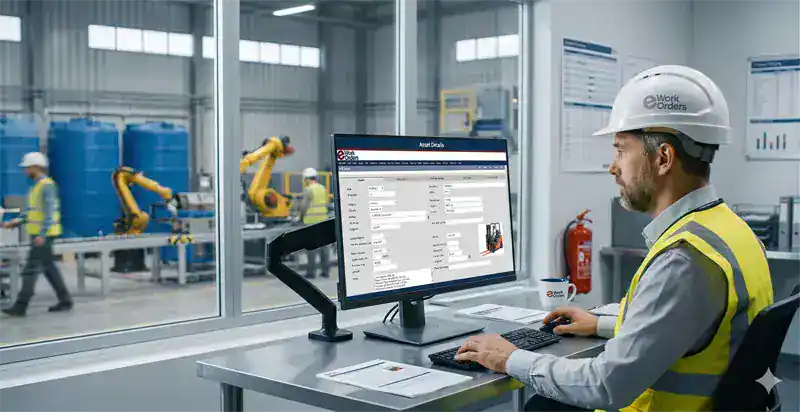
Know the True Cost of Every Asset — From Purchase to Decommission
eWorkOrders tracks the complete financial picture of every asset: purchase price, installation cost, accumulated maintenance labor and parts, scheduled replacements, and depreciation. Every dollar spent on a work order or PM is automatically attributed to the asset, building a true cost-per-asset record over its entire operational life.
That data is what maintenance managers need when leadership asks whether to repair or replace an aging piece of equipment. Instead of guessing, you pull the asset’s cost history and make a fact-based decision. According to Aberdeen Research, manufacturing facilities lose over $50 billion annually to unplanned failures — most of which are driven by assets whose true cost of operation was never tracked systematically.[1]
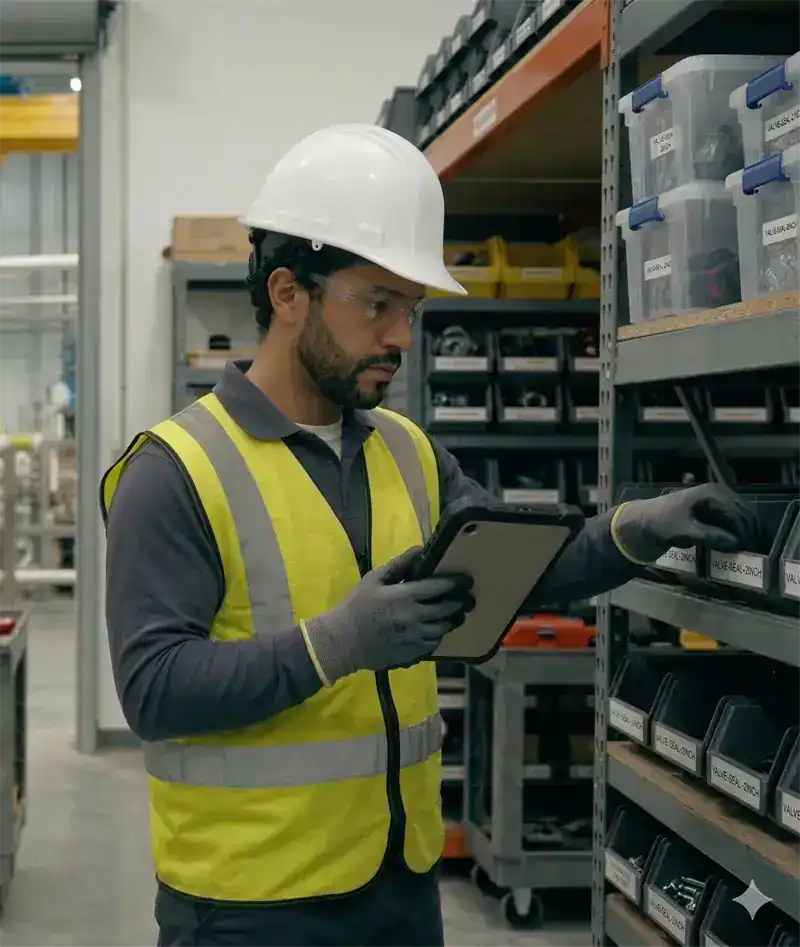
Know What Parts Each Asset Needs — Before the Technician Leaves for the Job
In eWorkOrders, spare parts inventory is associated directly with the assets that consume them. When a work order or PM fires, the parts list for that asset is already visible inside the job. Technicians see current stock levels and can select what they need. When parts are pulled, inventory counts update automatically — no manual storeroom reconciliation.
Parts consumption history rolls up to each asset record, contributing to the total cost-of-ownership picture. Reorder alerts fire before stock hits zero, so the right parts are on hand before the next service event. Your storeroom stays accurate, your asset records stay complete, and your team stops scrambling for parts at job time.
What Is Enterprise Asset Management (EAM) Software?
Enterprise Asset Management (EAM) software is a digital platform that manages physical assets throughout their complete lifecycle — from initial acquisition and commissioning, through active operation and maintenance, to final decommission or disposal. It connects asset records, maintenance schedules, work orders, parts inventory, labor tracking, and compliance documentation into one system. According to Grand View Research, the global EAM market was valued at $7.65 billion in 2024 and is projected to reach $19.68 billion by 2030 — reflecting rapid adoption across asset-intensive industries worldwide.
EAM vs. CMMS — What’s the difference? A CMMS (Computerized Maintenance Management System) focuses primarily on maintenance operations — work orders, PMs, and technician scheduling. An EAM extends that foundation to cover the entire asset lifecycle: purchase value, depreciation, capital planning, regulatory compliance, and multi-site asset portfolio management. eWorkOrders delivers both in one platform — you get CMMS-level maintenance execution with EAM-level asset visibility. For a deeper comparison, see our CMMS vs EAM guide.
Asset Lifecycle Management: EAM tracks every stage of an asset’s life — procurement, commissioning, operation, maintenance, and end-of-life — so organizations can extend asset life, control costs, and make informed replace-or-repair decisions. The asset lifecycle in eWorkOrders is built automatically from every work order, PM, and cost entry attached to each asset record.
See eWorkOrders EAM Running on Your Asset Portfolio — Live Demo, No Commitment
Our US-based team builds every demo around your asset types, maintenance program, and compliance requirements.
How eWorkOrders Manages Every Stage of the Asset Lifecycle
EAM isn’t just tracking serial numbers. It is managing the complete asset journey — from first installation through final decommission — with real data at every step.
| Lifecycle stage | What happens | Priority | How eWorkOrders handles it |
|---|---|---|---|
| Acquisition & RegistrationCommissioning · Asset Setup | Asset enters service — specs, location, value recorded | Setup | Asset record created with manufacturer, model, serial number, purchase date, cost, location, and responsible technician. QR/barcode tag generated. PM templates activated immediately on registration. |
| Preventive MaintenanceScheduled · Meter-Based | Routine service to keep the asset reliable | Planned | PM work orders generate automatically on calendar or meter triggers. Every PM completion is logged to the asset record with checklist, labor, parts, and technician signature — building the maintenance history automatically. |
| Corrective / Reactive WorkUnplanned Repairs | Failure or defect requires immediate response | Reactive | Corrective work orders are generated from PM findings or submitted directly. All repair costs, labor, and parts are automatically attributed to the asset record — capturing the full financial impact of every failure. |
| Depreciation & Cost TrackingFinancial Lifecycle | Asset value declines; true cost accumulates | Financial | eWorkOrders tracks asset purchase value, accumulated maintenance costs, and depreciation against original value. Total cost-of-ownership is visible on every asset record — giving leadership the data needed for capital planning. |
| Compliance & InspectionsRegulatory Requirements | Required inspections and documentation | Required | Required-field enforcement and digital signatures are captured on every work event. Asset-level compliance records are searchable at any time for OSHA, FDA, JCAHO, and ISO audits — no manual assembly required. |
| End-of-Life & ReplacementDecommission · Dispose | Asset retired or replaced based on cost data | Planned | Assets can be marked retired or decommissioned in the system. Full cost and maintenance history remains searchable. Replacement assets can be registered immediately, with history preserved for audit and capital planning purposes. |
Audit-ready asset documentation — generated automatically.
eWorkOrders automatically timestamps and stores every asset event — who performed the work, what was done, which parts were used, labor hours, photos, and digital signature. Your team gets the structured asset maintenance records needed to support FDA, OSHA, ISO, HACCP, and JCAHO reviews — generated as work gets done, not assembled before an inspection.
Every EAM Capability Your Team Needs
From asset registry and lifecycle tracking to compliance documentation, eWorkOrders covers the full EAM scope with no spreadsheets, no paper, and no disconnected systems.
Every asset entered once — manufacturer, model, serial number, purchase date, cost, location, and assigned technician. Search, filter, and access any asset record from any device. Bulk import supported for large asset portfolios.
Track every phase of an asset’s life — from commissioning through active operation to final decommission. Lifecycle history builds automatically from every work order, PM, and cost entry, providing the complete record needed for capital planning decisions.
Track asset purchase value, accumulated depreciation, and maintenance spend side by side. Gives leadership real financial data on every piece of equipment — critical for budget justification and replace-or-repair analysis.
PM work orders fire automatically from calendar, meter, or condition triggers tied to each asset. Every PM completion updates the asset’s maintenance history, PM compliance rate, and cost-of-ownership in real time — with zero manual data entry.
Technicians scan QR codes or barcodes to pull up the full asset record on their phone — complete history, open work orders, OEM documentation, and parts. All work logged from the field updates asset records in real time.
Every work event creates a timestamped compliance record — who did the work, what was completed, parts used, labor logged, and digital signature captured. Supports FDA, OSHA, ISO, HACCP, and JCAHO without manual documentation assembly.
Generate and print QR code or barcode labels for any asset. Scanning the tag instantly opens the full asset record on mobile — no typing, no searching. Ideal for large asset portfolios across multiple buildings and sites.
Attach OEM manuals, wiring diagrams, safety data sheets, and warranty documents directly to each asset record. Technicians access the right documentation from their phone at the equipment — no office trips required.
Every hour of labor and every part consumed is automatically attributed to the asset record. Actual cost-per-asset builds over time — giving operations leaders the data they need to justify maintenance budgets and capital replacement requests.
Asset availability, MTBF, MTTR, total maintenance cost per asset, PM compliance rate, and open work orders by asset — visible in real time without running a manual report. Filter by site, asset category, technician, or date range.
eWorkOrders connects to ERP systems, IoT sensors, SCADA, GIS mapping, and more via API. Several customers feed live runtime data and sensor alerts directly into asset records — enabling condition-based maintenance alongside traditional EAM workflows.
The AI assistant analyzes asset maintenance history to identify recurring failure patterns, suggest optimal PM intervals, and flag assets trending toward end-of-life — reducing diagnostic time and supporting capital planning decisions.
The 6 Stages of Asset Management in eWorkOrders EAM
From the moment an asset is registered to the day it is decommissioned, every stage is tracked, time-stamped, and visible to your entire team.
The asset is entered into the registry with its complete profile — manufacturer, model, serial number, purchase date, acquisition cost, installation location, criticality rating, and assigned maintenance team. A QR code or barcode label can be generated at registration. PM templates activate automatically, and the asset’s lifecycle clock starts the moment it is entered in the system.
Preventive maintenance work orders generate automatically from the PM templates linked to each asset. The work order carries the full asset profile, required checklist, parts list, and OEM procedure. Meter readings — entered manually or via API — trigger usage-based PMs automatically. The maintenance manager sees every asset’s upcoming PM schedule on the dashboard without building a single spreadsheet.
The assigned technician receives a push notification with the full work order on their mobile device. At the asset, they scan the QR code, step through the required checklist, log parts pulled, record actual labor time, capture photos, and enter any findings. All data is written back to the asset record in real time. Required fields are enforced — the work order cannot close without complete data entry.
If a technician identifies a developing defect during a PM or inspection, a corrective work order is generated immediately — linked to the asset and the originating work event. Parts pulled from inventory are deducted automatically. The asset’s total maintenance spend updates in real time, tracking the cumulative cost of every repair event against the asset’s purchase and depreciation values.
The supervisor reviews the completed work — verifying checklist completion, documentation accuracy, parts logged, and labor recorded. Electronic signature captures supervisor approval with a timestamp. For regulatory compliance work, required fields are enforced before the record can be finalized. The result is a complete, signed, timestamped asset maintenance record on every closed work event.
The work event closes with a complete timestamped record. The asset’s history updates immediately — MTBF, MTTR, total maintenance cost, and PM compliance rate recalculate automatically on your EAM dashboard. Over time, every completed work event adds to the asset intelligence that drives better maintenance interval decisions, earlier failure detection, and fact-based capital planning at end-of-life.
Why Maintenance Teams Choose eWorkOrders for Enterprise Asset Management
Built specifically for maintenance and asset management since 1995. Independent, US-based, and focused entirely on what maintenance teams actually need.
Asset lifecycle management, preventive maintenance, work order management, parts inventory, and compliance documentation are all included in the same system — not sold as separate modules. Starter ($380/mo) and Advanced ($480/mo) plans include unlimited technicians. See all plans →
Your system is live within 24 hours of signup. Most teams import their asset registry, activate PM templates, and have their first work orders running within a week. No months-long EAM implementation. Our US-based onboarding team walks through setup with you.
Asset availability, MTBF, MTTR, total maintenance cost per asset, PM compliance rate, and open backlog — all calculated automatically from real work order data. Visible on the dashboard in real time. Filter by site, asset type, or technician without running a report.
Founded 1995. Purpose-built for maintenance and asset management teams. 120+ industry awards. 4.9 stars on Capterra, G2, and GetApp. Independent and not VC-backed — every product decision is driven by what makes the software better for maintenance teams.
When your team needs help configuring an asset hierarchy, setting up depreciation tracking, or building a PM template from scratch — you call a person who picks up and responds within hours. This is consistently cited as the primary reason customers stay for decades.
SSO, role-based permissions, complete audit trails, and one of the highest security ratings in the CMMS industry. Your asset records, maintenance history, and compliance documentation are protected to the same standard used by regulated industries.
Common EAM Challenges — and How eWorkOrders Solves Them
Most organizations managing physical assets without an EAM system face the same set of problems — scattered records, unknown asset costs, compliance gaps, and no visibility into what is actually happening across the asset portfolio. According to Aberdeen Research, 82% of companies experienced unplanned downtime over the past three years, with costs reaching up to $260,000 per hour — the direct result of not knowing the health and cost status of their assets before failure occurs. eWorkOrders addresses every one of these gaps directly.

Asset Records Are Scattered and Incomplete
When asset data lives in spreadsheets, paper files, and disconnected systems, the full picture of any asset is impossible to assemble. eWorkOrders centralizes every asset in a single searchable registry — with complete history accessible from any device in seconds.
70% of maintenance teams don’t know when equipment is due for service without a centralized system (Vanson Bourne / ServiceMax).
True Cost of Ownership Is Unknown
Without a system linking every work order and parts cost to the asset that consumed it, the true cost of running a piece of equipment remains invisible. eWorkOrders attributes every labor hour and part directly to each asset — building a real cost-of-ownership record over the full asset life.
Aberdeen Research: 4 hours of equipment downtime costs the average company $2 million. True cost visibility is the first step to prevention.
Compliance Records Are Assembled Manually
Preparing for a regulatory audit typically means spending days gathering records from paper files, emails, and spreadsheets. eWorkOrders creates a timestamped compliance record on every closed work event — automatically — so your audit trail is always current and searchable.
Supports FDA, OSHA, ISO, HACCP, and JCAHO compliance documentation — generated as your team works, not assembled before an inspection.
No Data to Support Replace-or-Repair Decisions
Without real cost and history data, capital replacement decisions come down to opinion and gut instinct. eWorkOrders builds the complete picture — total maintenance spend, depreciated value, repair frequency, and downtime history — so leadership can make fact-based decisions about when to replace aging assets.
Grand View Research: Global EAM market growing at 17.2% CAGR through 2030 — driven by organizations recognizing the value of lifecycle cost data in capital planning.
EAM Software Built for Asset-Intensive Industries
The assets are different. The EAM challenge is the same — visibility, cost control, and compliance.
Asset lifecycle tracking on production equipment, CNC machines, conveyors, and tooling — with meter-based PM triggers tied to production cycles. Full cost-per-asset history for capital replacement decisions. Trusted by Honda manufacturing operations.
Medical equipment lifecycle records, life safety system asset tracking, and HVAC maintenance history — with automatic JCAHO-ready documentation on every work event. Asset records searchable for CMS and accreditation surveys at any time.
Asset registry and lifecycle tracking on pumps, blowers, UV systems, and treatment infrastructure — with meter-based triggers and EPA-ready compliance records generated automatically on every asset work event.
Multi-site asset management for HVAC, electrical, plumbing, and building systems — visible from one account across all locations. DTH Contract Services saved $150K+ annually managing 100+ Virginia DOT highway facilities with eWorkOrders.
Asset lifecycle records and condition-based maintenance on turbines, transformers, switchgear, and auxiliary systems. NERC and FERC compliance documentation generated automatically. Minimize forced outages with full asset visibility.
HACCP and FDA-required asset records and maintenance documentation on food processing and restaurant equipment. Compliance records auto-generated on every work event close. Trusted by McDonald’s for equipment lifecycle and sanitation tracking.
Proven EAM Results — Real Customers
“With eWorkOrders, Kings River Packing can easily create and track work orders, manage accurate inventory, and document asset maintenance and safety records in one system.”
“eWorkOrders transformed how we manage assets across more than 100 facilities. Having a single system to track asset records, maintenance history, and compliance documentation has been critical to our operations.”

Ryan

An Easy-to-Use CMMS with Fast Setup and Exceptional Customer Support
eWorkOrders is super easy to learn and use! it is very easy to setup as well. They provide excellent customer service. When I have a question or concern, they respond within hours, not days. That’s h...

An Easy-to-Use CMMS with Fast Setup and Exceptional Customer Support
eWorkOrders is super easy to learn and use! it is very easy to setup as well. They provide excellent customer service. When I have a question or concern, they respond within hours, not days. That’s huge for me.
They always care about what we, the customers, want. I could not ask for better support. The product is super.
Ryan

Mike

eWorkOrders CMMS Streamlines Maintenance for 42 McDonald’s Locations
For the last 24 years, I have been managing the maintenance and repair of over 42 McDonald’s restaurants. The eWorkOrders CMMS has streamlined many processes and improved productivity in the managemen...

eWorkOrders CMMS Streamlines Maintenance for 42 McDonald’s Locations
For the last 24 years, I have been managing the maintenance and repair of over 42 McDonald’s restaurants. The eWorkOrders CMMS has streamlined many processes and improved productivity in the management of service requests, work orders, and communications between my team of 7 maintenance technicians and the restaurant GMs. Before the implementation of eWorkOrders, we were keeping individual lists at the various stores of repairs and requests. Having to manage all of the maintenance for all of these facilities, equipment, coolers, etc., left me and my team with some very long lists to manage. Although we thought that the process was working fine, we knew that there had to be a more efficient way to manage our facilities. After meeting with Norm, my account representative, he understood my challenges and did a demo of eWorkOrders CMMS software that showed me the capabilities and how eWorkOrders could improve my existing processes. We decided to implement eWorkOrders throughout our restaurants. That was the best move I have ever made! The store GMs all love knowing that all of their requests they entered into the eWorkOrders system are being tracked and will be completed in a very timely manner, including the ordering of parts, etc. With the robust standard set of reports, we can now track activities at the individual and store levels and analyze the data for improvements. Being able to put in a service request and manage work orders from a mobile device is just awesome! I wish I had eWorkOrders years ago. Thank you, Norm for your help and professionalism in getting us up and running with eWorkOrders. Norm is always available when I have questions or issues to improve what I’m doing, since I’m not the most proficient person when it comes to computer stuff. The good news is you don’t have to be. Hope I’m not sounding like a salesman because I’m not, I’m just a very satisfied customer. Read the full case study
Mike

Rhett

Saved $150,000! eWorkOrders Understands Customer Requirements
eWorkOrders saved my client (Virginia Department of Transportation) over $150,000 a year in headcount alone! Before they implemented eWorkOrders, VDOT was managing multiple systems, with multiple plat...

Saved $150,000! eWorkOrders Understands Customer Requirements
eWorkOrders saved my client (Virginia Department of Transportation) over $150,000 a year in headcount alone! Before they implemented eWorkOrders, VDOT was managing multiple systems, with multiple platforms. Being a government facility, they are very conscious of budgets and expenses. With the eWorkOrders CMMS solution, they have all of their inventory and asset information, documents, schedules, and information stored in one centralized location that can be accessed from anywhere, at any time! Through the implementation and the ease of use of eWorkOrders CMMS centralized solution, they no longer needed multiple people managing multiple legacy systems and were able to reduce their headcount and utilize these employees in another area. Overall, the system saved time, money, and increased productivity and efficiency.
It has been great working with the eWorkOrders Team! They understood my customers’ needs and requirements, budget constraints, and worked with them to quickly get them up and running on the software.
I highly recommend this team for any company that really wants to achieve success with a new CMMS solution. It is really nice to work with a team that listens to what you want and need and delivers a solution with an exceptional outcome! eWorkOrders is in the business of successfully assisting organizations through the implementation process and making sure that customers are comfortable with their system. eWorkOrders has the best professional, technical, and management team who all work together to ensure customer satisfaction!
Rhett
Ready to Get Full Visibility and Control Over Your Asset Portfolio?
Calculate exactly how much better asset management could save your operation — free, no email required.
Common Questions About Enterprise Asset Management Software
What maintenance managers and operations directors ask before evaluating EAM software.
What is Enterprise Asset Management (EAM) software?
Enterprise Asset Management (EAM) software is a system that manages physical assets throughout their complete lifecycle — from acquisition and commissioning through active operation, maintenance, depreciation, and final decommission or disposal. It connects asset records, work orders, preventive maintenance schedules, parts inventory, labor costs, and compliance documentation into one platform. eWorkOrders delivers full EAM capabilities inside the same system used for daily maintenance operations — no separate EAM module required.
What is the difference between EAM and CMMS?
A CMMS (Computerized Maintenance Management System) is focused on maintenance operations — work orders, PMs, technician assignments, and parts. An EAM extends the CMMS foundation to cover the broader asset lifecycle: acquisition cost, depreciation, capital planning, multi-site asset portfolio management, and regulatory compliance recordkeeping. eWorkOrders delivers both capabilities in one system — see our CMMS vs EAM comparison guide for the full breakdown.
How does eWorkOrders track asset lifecycle costs?
Every work order and PM that closes in eWorkOrders automatically attributes its labor hours and parts costs to the asset it was performed on. Over time, this builds a complete cost-of-ownership record for each asset — total maintenance spend accumulated against purchase value and depreciated value. This data is visible on the asset record and EAM dashboard without any manual calculation.
Does eWorkOrders support QR code and barcode asset tagging?
Yes. eWorkOrders can generate QR code or barcode labels for any asset in the registry. Scanning the label on a mobile device instantly opens the full asset record — maintenance history, open work orders, OEM documents, parts list, and current meter readings. This eliminates manual asset lookup and is especially useful for large asset portfolios spread across multiple buildings or sites. See our asset tagging guide for details.
What EAM KPIs does eWorkOrders track automatically?
Asset availability, MTBF (Mean Time Between Failures), MTTR (Mean Time To Repair), total maintenance cost per asset, PM compliance rate, open work order backlog by asset, and labor utilization — all calculated automatically from actual work order and PM data. No spreadsheet formulas. No manual reporting. All visible on the EAM dashboard in real time as work gets done.
How does EAM software support regulatory compliance?
Every closed work event in eWorkOrders automatically creates a timestamped compliance record — who performed the work, what was completed, which parts were used, labor hours, photos, and digital signature. Asset-level compliance records are searchable by asset, date, technician, or work type. This supports FDA, OSHA, ISO, HACCP, and JCAHO requirements without manual documentation assembly before audits.
Can eWorkOrders manage assets across multiple sites?
Yes. eWorkOrders supports multi-site asset management from a single login. Assets are organized by location, building, department, or site. Managers can view asset status, open work orders, PM compliance, and cost summaries for individual sites or across the entire portfolio — without switching accounts or systems. Role-based permissions control what each user can see and do across sites.
How much does eWorkOrders EAM software cost?
EAM capabilities are built into the same platform as CMMS and preventive maintenance — not sold as a separate module. Starter ($380/mo) and Advanced ($480/mo) plans include unlimited technician users with no per-seat fees. Enterprise is $45–$120/user for large multi-site operations needing advanced controls and integrations. No implementation fees. No long-term contracts required. The system is live within 24 hours of signup. See full pricing details.
Does eWorkOrders integrate with ERP systems and IoT platforms?
Yes. eWorkOrders connects to ERP systems, IoT sensors, SCADA, GIS platforms, and more via API. Several customers feed live runtime data and sensor alerts directly into asset records — enabling condition-based maintenance triggers alongside standard EAM workflows. Explore system integrations →
Enterprise Asset Management Resources
Free guides, templates, and tools to help your team build a stronger asset management program.













Stop Managing Assets in the Dark. Start Tracking the Full Picture.
Join Honda, McDonald’s, Kings River Packing, and thousands of maintenance teams tracking their complete asset portfolio in eWorkOrders. Get a live demo built around your asset types, your maintenance program, and your compliance requirements.
All third-party statistics are sourced from publicly available, independently published industry research and are cited for informational purposes only. Capterra, G2, GetApp, and Software Advice badge imagery is the intellectual property of their respective owners, displayed consistent with each platform’s standard badge-use policies. eWorkOrders images used on this page are owned by Information Services Group LLC and used with permission. eWorkOrders® is a registered trademark of Information Services Group LLC. No competitor names or trademarks are referenced on this page. |
1. Grand View Research. Enterprise Asset Management Market Report. 2024. grandviewresearch.com. Cited for informational purposes. |
2. Aberdeen Strategy & Research / Vanson Bourne / ServiceMax. After the Fall: Cost, Causes and Consequences of Unplanned Downtime. |
3. Aberdeen Group. Asset Performance Management: Blazing a Better Path to Operational Excellence. Via Accruent. |
4. Vanson Bourne / ServiceMax. Field Service Metrics that Matter.


