
CMMS Trends 2026:
7 Trends Maintenance Teams Need to Watch
Every vendor has a CMMS trends list for 2026. This one comes with the numbers behind each trend, the three things to do about it this quarter, and a readiness check you can run on your own team in two minutes.
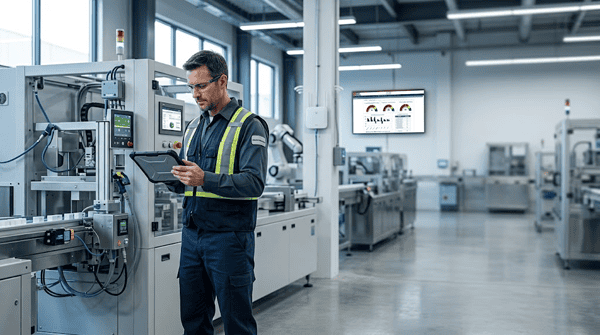
That is about 11% of their revenue, lost to equipment that stopped when it wasn’t supposed to.
Most 2026 trend lists read the same: AI, IoT, cloud, mobile, better UX. All true, and all a year late. The teams we work with across manufacturing, healthcare, education, government and food production are past asking whether to go to the cloud. They are asking how to keep lines running with fewer experienced techs and a CFO who now knows what an hour of downtime costs.
So we wrote this report the way a maintenance manager writes a work order: what is wrong, how urgent it is, and what to do next. Each trend below is ranked by priority and ends with a short checklist you can hand to your team on Monday.
Already table stakes in 2026
These are baseline capabilities worth checking when you evaluate a CMMS in 2026. They should not be the only factors in your decision.
Downtime becomes a board-level number
For years, downtime lived in maintenance reports that nobody upstairs read. That changed when the cost got specific. Siemens’s latest True Cost of Downtime report puts the bill for the world’s 500 largest companies at $1.4 trillion a year, about 11% of their revenue. In an automotive plant, a single idle hour now costs $2.3 million.
Plants have made progress. They stop less often than they did five years ago. But each hour of downtime costs far more, so the total keeps climbing.
Fewer stoppages, still a big monthly loss
Average unplanned downtime per plant, per month · bars drawn to scale
Once finance has a dollar figure per hour, maintenance stops being a cost line and becomes risk management. The teams winning budget in 2026 are the ones who can show, from their own records, which assets cause the stops and what preventing them is worth.
Do this quarter
- Put a cost-per-hour figure on your top 10 critical assets, even a rough one
- Tag every unplanned work order with a downtime start and end time
- Send finance a monthly downtime report with dollars, not hours
In eWorkOrders
Downtime and MTTR roll up automatically from closed work orders into real-time KPI dashboards you can share with leadership.
See reporting & KPIs →AI moves out of the demo and into the work order
In 2025, AI in maintenance meant a slide about predicting failures someday. In 2026 the useful version is much closer to the floor. A technician opens a work order and the system has already pulled up the asset’s manual and procedures and suggested troubleshooting steps, instead of the tech digging through a binder or a shared drive.
The best AI feature is the one your newest tech uses on day one without training.
That matters because AI here is only as good as the information behind it. Manuals, SOPs and procedures attached to the right asset give the AI something to work with, and clean, consistent work order records set teams up for what comes next. A CMMS full of missing documents, “fixed it” and blank cause codes does not. The real 2026 trend is teams organizing their data so AI has something useful to draw on.
Do this quarter
- Make problem, cause and remedy codes required fields on closeout
- Pick one asset class and test AI-suggested troubleshooting against your senior tech
- Ask every vendor exactly what data their AI reads, and where it is stored
In eWorkOrders
The AI Maintenance Assistant reads the documentation attached to an asset, such as manuals and procedures, to suggest troubleshooting steps, and AI-recommended PMs help build preventive maintenance schedules.
Meet the AI assistant →Knowledge capture before the retirement wave
The U.S. Bureau of Labor Statistics projects about 51,900 openings a year for industrial machinery mechanics and maintenance workers through 2035, with the field growing 14%. Hiring alone will not close that gap. Every plant has a tech who knows that the number three compressor needs a gentle restart, and that knowledge usually lives nowhere but in their head.
U.S. industrial maintenance jobs
Industrial machinery mechanics, maintenance workers and millwrights
The shift for 2026 is treating the CMMS as the place that knowledge goes before it walks out the door: step-by-step procedures, photos, O&M manuals and failure notes attached to the asset itself, so a second-year tech can do what a twenty-year veteran does.
Do this quarter
- List the five jobs only one person on your team can do
- Have that person narrate each job while someone records it as a PM checklist with photos
- Attach manuals and SOPs to assets, not to a shared drive
In eWorkOrders
Document management stores manuals and procedures on each asset, and techs pull them up by scanning a QR tag with their phone.
See document management →Condition data starts triggering the work
Sensors are cheap now. The problem is that data can still end up in a dashboard nobody checks. Plant Engineering research from its 2026 State of Manufacturing Operations and Maintenance study found that 67% of respondents identified predictive maintenance tools as critical to facility success. The practical 2026 goal is not simply collecting more signals. It is connecting useful condition information to the work process so someone can act on it.
The 2026 shift is simpler and more practical: connect the reading to the work order. A vibration threshold, a runtime counter or a temperature spike should open a work order on its own, assigned to the right tech with the right parts list. If a reading doesn’t create work, it’s only a chart.
| Trigger type | Fires when | Best for |
|---|---|---|
| Calendar PM | Every 30 / 90 / 365 days | Compliance inspections, life-safety |
| Meter-based PM | Every 500 runtime hours or 5,000 miles | Fleet, compressors, conveyors |
| Condition-based | A sensor crosses a threshold | Motors, pumps, bearings, gearboxes |
Do this quarter
- Move at least five calendar PMs to meter-based triggers
- Pick one critical asset for a condition-monitoring pilot with a defined alarm-to-work-order path
- Kill any sensor dashboard that no one has opened in 30 days
In eWorkOrders
Meter readings trigger PMs automatically, and predictive maintenance connects IoT and condition data, including the AssetWatch integration, straight into work orders.
See predictive maintenance →CMMS access widens beyond the maintenance team
The person who notices a problem first is often not on the maintenance team. It’s the night-shift operator who hears a bearing start to grind, the teacher whose classroom is too hot, or the restaurant manager whose cooler is running warm. When those people can’t reach the CMMS, problems arrive late, by text or hallway conversation, and the record of what happened is incomplete.
That gap matters more in 2026 because AI and analytics are only as good as the data behind them. Organizations are widening access: simple request portals for occupants and operators, logins for contractors to close their own work, and read-only dashboards for supervisors and leadership. The goal is more complete data and faster response, and a CMMS gets more useful as more of the people who touch equipment use it.
When you evaluate access, look at licensing as well as features. Some systems price by named user, some by tier, and some include unlimited users, and the model affects how widely a team can roll the system out.
Do this quarter
- List who spots problems but can’t log them today: operators, occupants, contractors
- Give requesters a simple service-request form that needs no training
- Check what full access would cost under your current licensing
In eWorkOrders
A service-request interface lets anyone submit and track requests from a phone. Standard and Advanced plans are flat-rate, so adding requesters doesn’t add per-user fees.
See the service request interface →Live in days, not quarters
Time to value matters. A CMMS rollout is most effective when teams can begin entering and closing real work orders quickly, rather than spending months in configuration.
With eWorkOrders, implementation typically begins with setup and live training covering users, assets, service requests, work orders, preventive maintenance, reports and mobile use. The exact timeline depends on your data, configuration needs and rollout scope.
A possible fast-start plan
An example only. Your timeline depends on your data, configuration and rollout scope.
Ask every vendor the same question: “On what date will my technicians be able to close their first real work order on a phone?”
Do this quarter
- Get your asset list into one spreadsheet now, before you choose a vendor
- Write the go-live date into the contract
- Start with work orders and PMs; add inventory and integrations in phase two
In eWorkOrders
eWorkOrders provides live setup and training sessions to help teams configure the system and get started. Implementation timing, data-import assistance and training arrangements may vary, depending on when your team is ready.
See the implementation process →Maintenance data supports better asset decisions
Repair or replace is one of the most expensive questions in maintenance, and many teams still answer it with experience and an aging spreadsheet. A well-kept CMMS can hold much of the evidence behind that discussion: repair history, failure frequency, downtime caused, labor and parts used, and other asset records.
That data doesn’t make the decision on its own. Budgets, safety, production plans and vendor lead times all play a part. But maintenance managers who bring reliable maintenance history to planning meetings have better evidence for the discussion. A list showing which assets have repeated failures, high repair activity or significant downtime gives finance and operations something concrete to evaluate.
The prerequisite is consistent records. Costs, labor and downtime need to be logged against the right asset every time, or the numbers won’t hold up when someone questions them.
Do this quarter
- Record replacement estimates and key asset costs for your critical assets
- Run a maintenance-history report and flag assets with repeated failures or high repair activity
- Review the findings with finance and operations before the next budget cycle
In eWorkOrders
Enterprise asset management keeps asset history, maintenance records, costs and lifecycle information together in one place.
See asset management →2026 Readiness Check
Tick what’s true for your team today. Be honest; nobody’s watching.
Start with Trend 1: put a dollar figure on downtime.
Your Downtime Bill
Plug in your own numbers. Siemens puts automotive plants at $2.3M per hour and consumer goods plants at about $36,000; a small facility may be a few thousand.
For example, a 25% reduction would be worth $2,916,000 a year.
This calculator is for illustration only. It multiplies the numbers you enter (hours per month × cost per hour × 12) and does not predict your actual costs or savings. The starting values are industry averages from Siemens, not your figures. Results from any CMMS vary by facility.
Want the full picture? Try the eWorkOrders CMMS ROI Calculator →
CMMS Trends 2026 FAQ
What are the biggest CMMS trends in 2026?
The seven trends that matter most are downtime becoming a board-level cost, AI built into everyday work orders, knowledge capture ahead of technician retirements, condition data that triggers work automatically, broader CMMS access, faster implementations measured in days, and maintenance data that supports better asset decisions.
How much does unplanned downtime cost manufacturers?
Siemens’s latest True Cost of Downtime report found that unplanned downtime costs the world’s 500 largest companies $1.4 trillion a year, about 11% of their revenue. An hour of downtime costs $2.3 million in an automotive plant and about $36,000 in a consumer goods plant, and the average plant loses 27 hours a month. These are benchmarks, not a universal cost for every facility.
How is AI used in CMMS software in 2026?
The most practical use is inside the work order: AI draws on an asset’s manuals and procedures to suggest troubleshooting steps, and helps recommend preventive maintenance schedules. Its usefulness depends on clean, well-organized data, so teams are attaching documentation to assets and making problem, cause and remedy codes required on closeout.
Is cloud-based CMMS still a trend?
No. Cloud hosting, mobile access, single sign-on and custom dashboards are now standard features. Any CMMS you evaluate in 2026 should include them out of the box, so they no longer set vendors apart.
How can maintenance teams handle the technician shortage?
The BLS projects about 51,900 openings a year for industrial maintenance workers through 2035. Teams are responding by recording senior technicians’ procedures as PM checklists, attaching manuals to assets and making that knowledge available on a phone, so newer techs can work with less supervision.
How long does CMMS implementation take?
It varies widely by vendor and rollout scope, from several months to a few days. eWorkOrders provides live setup and training sessions to help teams configure the system and get started. Timing depends on your data, configuration needs and when your team is ready.
Should a CMMS charge per user?
It depends on how many people need access. Per-user pricing can push teams to limit logins, which keeps operators, contractors and requesters out of the system and leaves gaps in your maintenance data. Flat-rate pricing makes broad access easier, while per-user pricing can suit larger enterprise deployments with defined user groups. eWorkOrders offers both: Standard and Advanced plans are flat-rate, and Enterprise is priced per user.
What should maintenance teams do first in 2026?
Put a cost-per-hour figure on your critical assets and start tracking downtime on every unplanned work order. Once you can show leadership what downtime costs in dollars, every other improvement on this list becomes easier to fund.
Get ahead of these trends before 2027
eWorkOrders gives your team a centralized maintenance management system with AI-powered work order assistance, AI-recommended preventive maintenance schedules, dashboards, reporting, and asset performance insights, all in one platform.
Sources
- Siemens, “The True Cost of Downtime” (latest edition)
- Plant Engineering, “How data is unlocking big gains for manufacturers,” 2026 (2026 State of Manufacturing Operations and Maintenance findings)
- U.S. Bureau of Labor Statistics, Occupational Outlook Handbook: Industrial Machinery Mechanics, Machinery Maintenance Workers, and Millwrights (2025–35 employment projections)
Schedule a Free Demo
No obligation • Takes less than a minute


