Modern maintenance teams want tools that are fast, flexible, and easy to use. SAP Plant Maintenance (SAP PM) set the standard in large organizations, but as operations become more mobile and data-driven, many companies are adopting CMMS platforms purpose-built for maintenance.
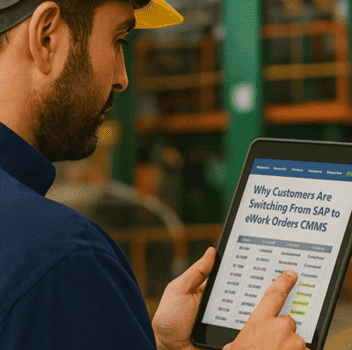
“eWorkOrders is super easy to learn and use. We were up and running quickly, and their support team always responds within hours. It’s reliable, flexible, and perfect for managing manufacturing maintenance.”
Key Takeaways
- This is not an either/or decision. Most teams keep SAP for ERP and financials and add a CMMS for field execution.
- SAP PM’s configuration depth is a strength at the enterprise level and a drag at the work-order level — the same thing that makes it powerful makes routine tasks slow.
- Time-to-value is the real gap. A cloud CMMS can go live in weeks; an ERP change request can take longer than that to approve.
- Adoption is what decides it. Data quality follows whichever system technicians actually open on their phones.
- Integration keeps both honest — asset and work order data flowing between the two means enterprise visibility without a second silo.
This shift is less about price and more about usability, agility, time-to-value, and measurable results. In practice, many teams keep SAP for ERP/financials and use a CMMS for field execution.
1. Complexity vs Usability
SAP PM is powerful—but configuration depth can slow everyday tasks like creating work orders, confirming operations, or checking asset history.
A modern CMMS is designed for daily users—technicians, supervisors, planners, and reliability teams—with intuitive screens and mobile-first workflows that speed adoption and improve data quality.
2. Cost and Flexibility
SAP Plant Maintenance often requires enterprise-level licensing, custom development, and formal change requests for even small updates. Those layers add cost and slow response times.
A modern CMMS offers modular pricing and scalable options—start with core maintenance, then add PMs, inspections, inventory, or vendor portals as needed.
The result is lower time-to-value and the ability to add capabilities incrementally without heavy ERP change management.
3. Implementation Speed
Maintenance can’t wait months. Cloud CMMS platforms often go live in weeks (scope-dependent), and simpler UX means faster technician uptake and cleaner data across assets, PMs, and work orders.
4. Mobility and Integration
Maintenance today is mobile and connected. CMMS solutions integrate with sensors, barcode/QR codes, inventory, SSO, and more—so techs can attach photos, complete steps in the field, and access real-time data without heavy middleware.
SAP PM supports integrations too, but they often require custom work and cross-module coordination. A CMMS can be the nimbler, field-friendly layer for execution while SAP remains your system of record.
5. Balanced SAP + CMMS
Switching to a CMMS doesn’t mean discarding SAP. Many organizations keep SAP for ERP/financials and use a CMMS for daily maintenance. This hybrid approach provides enterprise visibility with field-level usability.
6. Why Teams Choose eWorkOrders
- Fast setup: Go live in weeks with guided onboarding.
- Configurable workflows: Tailor forms, steps, and reports without heavy coding.
- Mobile-first usability: Technicians can capture photos, scan QR or barcodes, and update work orders directly from their phones—capabilities that are cumbersome or limited in traditional SAP Plant Maintenance interfaces.
- Integrates with SAP: eWorkOrders exchanges asset and work order data with SAP, enhancing enterprise visibility without creating silos or duplicating effort.
- Reliable support: Stability, security, and responsive help when it matters.
For many teams, the move isn’t about leaving SAP—it’s about adding a system that fits how maintenance works today while SAP continues powering ERP.
Independent Insight: Why Customers Switch
Industry reviews and buyer guides consistently show a pattern: companies are moving away from SAP Plant Maintenance toward modern CMMS platforms built specifically for maintenance. The main drivers include faster implementation, easier technician adoption, lower training requirements, and real-time visibility from mobile devices.
Two themes come up repeatedly across those sources. The first is that SAP PM’s configuration depth, which is a strength at the enterprise level, slows down routine maintenance work — while purpose-built CMMS software offers faster setup and easier day-to-day use. The second is that teams making the transition report reduced downtime, improved data accuracy, and quicker results once technicians are actually using the system.
Neutral sources such as software review platforms and vendor documentation also note that CMMS tools centralize work orders, preventive maintenance, and asset tracking—giving maintenance departments more control, flexibility, and visibility than traditional SAP-based maintenance systems.
This summary is based on publicly available buyer insights and vendor documentation. It is paraphrased for educational comparison and does not imply endorsement.
Final Thoughts
The shift from SAP Plant Maintenance to modern CMMS platforms shows how maintenance is evolving. Teams today need tools that move as fast as their operations. A purpose-built CMMS delivers the usability, speed, and focus SAP users have been asking for—helping reduce downtime, extend asset life, and improve safety. For many organizations, the smartest path forward is a hybrid model: SAP + CMMS—keeping ERP governance while empowering technicians with modern, mobile tools.
FAQ
What’s the difference between SAP PM and a CMMS?
SAP PM runs within an ERP for enterprise control. A CMMS focuses on maintenance execution—work orders, assets, PMs, and mobile usability—so it’s simpler for technicians.
Is CMMS faster to implement?
Yes. Most CMMS platforms deploy in weeks, enabling teams to capture value sooner than large ERP rollouts.
Can SAP and CMMS work together?
Absolutely. Many organizations integrate both—SAP for finance and planning, CMMS for daily execution—so leadership keeps visibility while frontline teams gain speed.
Why do teams adopt eWorkOrders?
They value quick implementation, easy configuration, mobile workflows, and reliable integration support alongside existing SAP infrastructure.
Keep SAP. Add the Layer Your Technicians Will Actually Use.
Join McDonald’s, Honda, Burger King and ASSA ABLOY. See how eWorkOrders runs alongside SAP — exchanging asset and work order data, going live in weeks, and putting work orders on every technician’s phone.


