In manufacturing, unplanned downtime is one of the most expensive challenges a plant can face. Maintenance leaders in 2026 are balancing aging equipment, shrinking skilled labor pools, strict production schedules, and rising cost pressure.
This guide explains what matters when choosing a CMMS for manufacturing, which features deliver real impact, and how manufacturers move from firefighting to proactive maintenance.
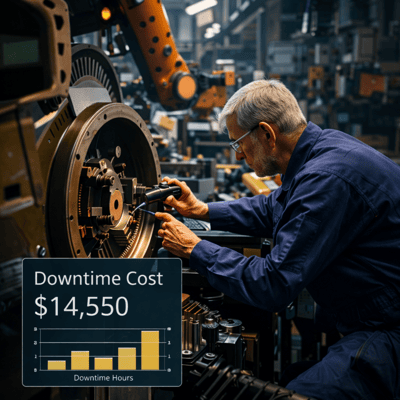
Why CMMS Software Is Critical for Manufacturing in 2026
Manufacturing maintenance differs from general facility maintenance. Production assets are complex, capital-intensive, and directly tied to output and revenue.
The defining shift in 2026 is the move from reactive to proactive maintenance:
- Reactive maintenance: Waiting for components to fail
- Proactive maintenance: Preventing failures using CMMS data
A modern CMMS provides visibility into labor, work orders, compliance, and downtime cost.
Step 1: Define What Your Manufacturing Plant Actually Needs
Asset-Centric System Design
Manufacturing CMMS software must support asset hierarchies, including parent equipment and child components.
Scalability Across Lines and Sites
The system should scale easily as production lines expand or new facilities come online.
Mobile Usability on the Shop Floor
If technicians cannot open and close work orders on a phone in under a minute, adoption will suffer.
Step 2: CMMS Features That Actually Matter in Manufacturing
1. Preventive Maintenance Based on Usage and Runtime
High-performing CMMS platforms support meter-based preventive maintenance triggered by:
- Runtime hours
- Production cycles
- Unit output
2. Intelligent Prioritization and AI-Assisted Planning
CMMS systems should prioritize work based on asset criticality and production impact.
3. Mobile CMMS Designed for the Shop Floor
- Open and update work orders at the asset
- Capture photos and videos
- Log labor and parts usage
- Close work orders immediately
4. Manufacturing KPIs That Support Better Decisions
- MTTR (Mean Time to Repair)
- MTBF (Mean Time Between Failures)
- Maintenance backlog
- Downtime by asset
Step 3: The Reality Check — Benefits and Challenges of CMMS Adoption
The Benefits
- Improved reliability through data-driven decisions
- Preserved institutional knowledge
- Transparent labor and parts costs
The Challenges (and How to Address Them)
- Initial setup effort: Start with the most critical assets
- Change resistance: Involve technicians early
How to Choose the Right CMMS for Manufacturing
- Demonstrate how a technician closes a work order on a phone
- Support meter-based preventive maintenance
- Report downtime cost by asset
In 2026, the best CMMS functions as part of the maintenance team—not just a database.
Conclusion: Choosing a CMMS That Supports Manufacturing Performance
Selecting the right CMMS supports uptime, safety, and long-term production goals.
Platforms such as eWorkOrders CMMS help manufacturers reduce downtime, extend asset life, and transform maintenance into a strategic advantage.
Frequently Asked Questions (FAQs)
What is the best CMMS for manufacturing plants in 2026?
The best CMMS supports preventive maintenance, asset tracking, mobile access, and real-time analytics.
How does CMMS software reduce downtime in manufacturing?
By automating preventive maintenance, prioritizing critical work, and improving asset visibility.
What CMMS features matter most in manufacturing?
Preventive maintenance, asset hierarchies, work order prioritization, mobile access, and reporting.
Is CMMS software worth it for small and mid-sized manufacturers?
Yes. CMMS helps control costs, prevent failures, and extend equipment life without increasing staff.


