Investing in a Computerized Maintenance Management System (CMMS) is a critical decision for any organization looking to optimize its maintenance operations. However, creating a realistic and comprehensive budget for this technology can be challenging. With varied pricing models, potential hidden costs, and the need to justify the expense to stakeholders, many leaders struggle to get it right. This guide provides the essential steps to budget effectively for CMMS software, ensuring you can select a system that delivers a clear return on investment without unexpected financial surprises.
A well-structured budget does more than just allocate funds; it serves as a strategic roadmap for your entire implementation project. By following a clear framework, you can align finance, operations, and maintenance teams around a shared set of goals and expectations. This process helps you accurately forecast the Total Cost of Ownership (TCO) and build a strong business case to cut maintenance costs, improve asset longevity, and boost overall productivity. This guide will walk you through the necessary steps for a successful 2025 CMMS investment.
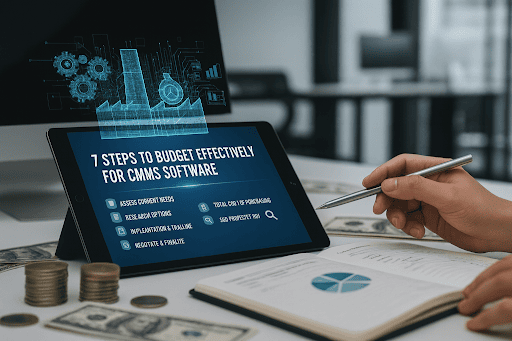
Why Strategic CMMS Budgeting Matters
A thoughtful CMMS budget is not just a line item in your annual plan; it’s a foundational tool for driving operational excellence. It transforms a software purchase from a simple expense into a strategic investment tied to measurable business outcomes. A proper budget ensures you select a solution that meets your needs today and can scale with you tomorrow.
- Achieve Key Business Outcomes: A well-planned budget directly supports goals like reducing equipment downtime, extending asset life, and improving labor productivity.
- Ensure Stakeholder Alignment: It creates a common understanding between finance, operations, and maintenance teams regarding project scope, costs, and expected ROI.
- Prevent Misallocation of Capital: A proper budget prevents under-investment, which can lead to a failed implementation, or over-investment in unnecessary features.
- Build a Foundation for Savings: By accurately forecasting costs, you can better measure the long-term financial benefits and prove the system’s value over time.
CMMS Budgeting by the Numbers
Understanding the market and potential returns provides crucial context for your budget. These industry benchmarks can help you frame your financial planning and set realistic expectations for your CMMS investment.
- Implementing a CMMS can improve maintenance team productivity by an average of 20% in the first year.
- Limble CMMS customers report a 37% reduction in equipment downtime on average.
- The average implementation time for a mid-market CMMS in the U.S. is between 4 to 8 weeks, which impacts initial labor and training costs.
- Total Cost of Ownership (TCO) extends beyond subscription fees to include implementation, training, data migration, and potential integration expenses.
Our Approach: A Total Cost of Ownership (TCO) Framework
To create a truly effective budget, you must look beyond the initial price tag. The following steps are built around a Total Cost of Ownership (TCO) model, which provides a complete picture of the investment over its entire lifecycle. This approach ensures you account for every potential expense, from software licenses to your team’s time.
- Comprehensive Cost Analysis: The TCO model accounts for both direct costs (e.g., license fees, implementation support) and indirect costs (e.g., internal team training time, change management).
- Long-Term Financial Planning: It helps you forecast expenses not just for year one, but for subsequent years of use, including support and potential upgrades.
- Scalable for Any Business: This framework is designed to be adaptable, whether you are a single-site facility or a multi-location enterprise planning a large-scale rollout.
10 Key Steps for Your CMMS Budget
Building a comprehensive CMMS budget requires a methodical approach. Each of the following steps addresses a critical component of the overall cost, helping you move from a rough estimate to a detailed financial plan that aligns with your operational goals.
Step 1: Define Core Objectives & KPIs
Role: Strategic Foundation
Snapshot: Before evaluating any software, you must first define what success looks like. This initial step involves collaborating with stakeholders from maintenance, operations, and finance to identify the primary pain points you aim to solve. Are you trying to reduce unplanned downtime by a specific percentage, improve maintenance schedule compliance, or lower spare parts inventory costs? By establishing clear, measurable Key Performance Indicators (KPIs) upfront, you create a benchmark against which you can measure the CMMS’s ROI. This clarity ensures that your budget is directly tied to achieving tangible business goals rather than just acquiring new technology.
Core Strength: Aligns the budget with measurable business outcomes and prevents scope creep.
Best For: Ensuring all stakeholders agree on the project’s purpose and success metrics.
Pro Tip: Focus on 3-5 primary KPIs to keep the project focused and measurable.
Step 2: Audit Current Maintenance Costs
Role: Baseline Analysis
Snapshot: To justify a new investment, you need a precise understanding of your current spending. This step involves a thorough audit of all maintenance-related expenses. Go beyond obvious costs like labor and parts to include overtime pay due to emergency repairs, expenses for third-party contractors, and the financial impact of production downtime. Quantifying these figures provides a clear baseline that demonstrates the potential for savings. This data is crucial for calculating the potential ROI of a CMMS and securing budget approval from financial decision-makers who need to see a clear cost-benefit analysis.
Core Strength: Provides the hard data needed to build a compelling business case for the CMMS.
Best For: Creating a financial baseline to accurately calculate and prove future ROI.
Pro Tip: Use at least 12 months of historical data for an accurate annual baseline.
Step 3: Map Out Functional Requirements
Role: Feature Scoping
Snapshot: Not all CMMS features are created equal, and paying for functionality you don’t need is a common budgeting mistake. Based on your objectives from Step 1, create a detailed list of functional requirements. Categorize them into “must-haves” (e.g., work order management, preventive maintenance scheduling) and “nice-to-haves” (e.g., advanced analytics, IoT sensor integration). This prioritized list becomes your guide for evaluating vendors. It ensures you focus on solutions that solve your core problems and helps you avoid being upsold on expensive modules that don’t align with your immediate operational needs.
Core Strength: Prevents overspending on unnecessary features and focuses vendor demos on your specific needs.
Best For: Translating operational needs into a clear checklist for software evaluation.
Pro Tip: Involve technicians and supervisors in this process to capture essential ground-level requirements.
Step 4: Research Vendor Pricing Models
Role: Market Intelligence
Snapshot: The CMMS market includes several pricing structures, and understanding them is key to accurate budgeting. The most common is Software-as-a-Service (SaaS), which involves a recurring subscription fee, typically per user, per month. Other models include perpetual licenses (a large one-time fee with ongoing maintenance costs) and tiered pricing based on features or asset count. Research different vendors to understand their models and what is included in each price. Look for transparency regarding support, updates, and data storage, as these can be sources of hidden costs if not clearly defined.
Core Strength: Demystifies software pricing to help you compare vendors on an apples-to-apples basis.
Best For: Avoiding surprises by understanding how different vendors structure their fees and contracts.
Pro Tip: Always ask vendors for a detailed breakdown of what each pricing tier includes.
Step 5: Budget for Software & Licensing Fees
Role: Core Cost Estimation
Snapshot: This is the most straightforward part of the budget but requires careful calculation. Based on your research into pricing models, estimate the annual cost for the software itself. For SaaS models, this means multiplying the per-user fee by the number of required users (technicians, managers, requesters) and then by 12 for the annual cost. Be sure to account for different user types, as some vendors offer lower-cost licenses for view-only or request-only access. Project these costs for at least three years to understand the long-term financial commitment and compare it against the expected ROI.
Core Strength: Calculates the primary, recurring cost of the software subscription or license.
Best For: Establishing the largest and most predictable line item in your CMMS budget.
Pro Tip: Ask about potential discounts for annual prepayment, which can often save 10-20%.
Step 6: Account for Implementation & Onboarding
Role: Setup Cost Planning
Snapshot: Getting the software up and running is a one-time cost that is often overlooked. Implementation fees can vary significantly depending on the level of support you need. Some vendors offer basic setup assistance for free, while others charge for premium onboarding packages that include dedicated project management, workflow configuration, and system setup. When requesting quotes, ask for a clear statement of work that details what is included in the implementation fee. A smooth onboarding process is critical for user adoption, making this a worthwhile investment to budget for properly.
Core Strength: Ensures a smooth and successful launch by allocating funds for expert setup.
Best For: Organizations that need guided support to configure the system to their specific workflows.
Pro Tip: Clarify if the implementation fee is a flat rate or based on billable hours.
Step 7: Factor in Training & Change Management
Role: User Adoption
Snapshot: A CMMS is only effective if your team uses it correctly. Budgeting for training is non-negotiable. This includes both the direct cost of any training sessions provided by the vendor and the indirect cost of your team’s time spent learning the new system. Consider different training formats, such as live virtual sessions, on-site training, or self-paced online courses. Additionally, allocate resources for change management activities—communicating the benefits of the new system and addressing user concerns—to drive adoption and ensure you realize the full value of your investment.
Core Strength: Maximizes ROI by ensuring your team is fully equipped to use the software effectively.
Best For: Guaranteeing high user adoption rates and a smooth transition from old processes.
Pro Tip: Budget for ongoing training for new hires to maintain system proficiency over time.
Step 8: Estimate Data Migration Expenses
Role: Data Transition
Snapshot: If you are moving from an old system or spreadsheets, you will need to migrate existing data—such as asset lists, maintenance histories, and inventory—into the new CMMS. This can be a time-consuming and technically complex process. Some CMMS vendors offer data migration as part of their implementation service for an additional fee, while others provide tools for you to do it yourself. You must budget for either the vendor’s service fee or the internal labor hours required for your team to clean, format, and import the data accurately.
Core Strength: Preserves valuable historical data and ensures operational continuity from day one.
Best For: Companies transitioning from legacy systems or extensive spreadsheet-based tracking.
Pro Tip: Use the migration process as an opportunity to clean up and archive outdated data.
Step 9: Plan for Ongoing Support & Maintenance
Role: Long-Term Viability
Snapshot: Your relationship with the CMMS vendor doesn’t end after implementation. Most SaaS subscriptions include a standard level of customer support and all software updates. However, some vendors offer premium support tiers with benefits like a dedicated account manager or faster response times for an extra fee. When budgeting, confirm what level of support is included in your base subscription and decide if you need to allocate funds for a higher tier. For perpetual licenses, be sure to budget for the annual maintenance fee, which is typically required to receive support and updates.
Core Strength: Guarantees you have access to expert help and software updates when needed.
Best For: Ensuring the long-term health of your software and maximizing its useful life.
Pro Tip: Review vendor Service Level Agreements (SLAs) to understand guaranteed support response times.
Step 10: Calculate TCO & ROI
Role: Final Justification
Snapshot: This final step brings everything together. Sum up all the costs identified in the previous steps—software fees, implementation, training, internal labor, and ongoing support—to arrive at your estimated Total Cost of Ownership (TCO) for the first three years. Then, using the baseline costs from Step 2 and the KPIs from Step 1, project the financial benefits, such as reduced downtime, lower labor costs, and decreased parts spending. Comparing the TCO to the projected savings allows you to calculate the expected Return on Investment (ROI), providing a powerful, data-backed justification for your budget request.
Core Strength: Consolidates all costs and benefits into a clear financial projection for decision-makers.
Best For: Presenting a complete and compelling business case to executive and finance teams.
Pro Tip: Present the ROI calculation as a timeline showing the projected break-even point.
How to Get Started with eWorkOrders
Our process is designed to be straightforward, helping you find the right maintenance management solution without complexity.
- Tell us about your maintenance management needs (quick online form or call).
- Get a live demo of eWorkOrders CMMS/EAM software to see how it can simplify your maintenance operations.
- Start using an award-winning CMMS trusted by thousands of businesses across industries including manufacturing, healthcare, food & beverage, and facilities management.
- Work with our expert support team with 30+ years of experience delivering top-rated service, training, and implementation.
Why Choose eWorkOrders?

We provide a proven, powerful, and easy-to-use platform backed by decades of industry expertise and exceptional support.
- Award-winning CMMS and EAM software trusted by thousands of organizations across manufacturing, healthcare, food & beverage, utilities, and facilities management.
- Over 30 years of experience delivering proven maintenance management solutions and exceptional customer support.
- Cloud-based platform with real-time visibility into work orders, assets, preventive maintenance, and inventory control.
- Flexible configuration, mobile access, and API integration to fit any organization’s maintenance workflows and compliance needs.
- Recognized by G2, Capterra, and Software Advice for Best Value, Ease of Use, and Customer Support.
Secure Your Maintenance Future with a Smart Budget
Creating a detailed, TCO-based budget is the first and most crucial step toward a successful CMMS implementation. By moving beyond the sticker price and accounting for all associated costs, you position your organization for a smooth rollout and long-term success. This strategic approach ensures you select a system that not only meets your operational needs but also delivers a clear and defensible return on investment. Use this framework to build a comprehensive financial plan that aligns your teams and secures the resources needed for operational excellence. Following these steps to budget effectively for CMMS software will transform your maintenance function from a cost center into a strategic asset. Book a demo today!
Frequently Asked Questions
What’s the biggest hidden cost when budgeting for a CMMS?
Often, it’s the internal labor cost associated with implementation, data migration, and training. While the software vendor provides support, your team’s time is a significant investment that must be factored into the total cost of ownership (TCO).
How does SaaS pricing differ from a perpetual license for a CMMS?
SaaS (Software as a Service) is a recurring subscription model (monthly or annual) that typically includes support and updates. A perpetual license is a larger, one-time upfront cost to “own” the software, but may have separate, ongoing fees for maintenance and support.
Can I get a good CMMS on a small budget?
Yes, the key is to clearly define your “must-have” versus “nice-to-have” features. Many modern, cloud-based CMMS platforms offer scalable pricing tiers, allowing you to start with core functionalities and add more as your operational needs and budget grow.
How long should a CMMS budgeting process take?
The timeline varies, but most mid-sized businesses should allocate 4–8 weeks for thorough research, stakeholder interviews, and vendor demos. This ensures you have a comprehensive plan before making a final decision and committing funds to the project.


