Schedule a Free Demo
No obligation • Takes less than a minute
Meter Readings CMMS Software
Meter Readings in a CMMS is an automated system that collects, tracks, and acts on equipment runtime hours, odometer readings, cycle counts, and sensor data — replacing manual logs and spreadsheets with real-time triggers that fire preventive maintenance work orders exactly when equipment needs service.
eWorkOrders CMMS captures meter readings from any source — manual entry, mobile app, IoT sensors, or integrated systems — and automatically triggers preventive maintenance work orders the moment an asset reaches its service threshold, on any device, at any facility.
Service equipment when it actually needs it — not too early, not too late, never forgotten.
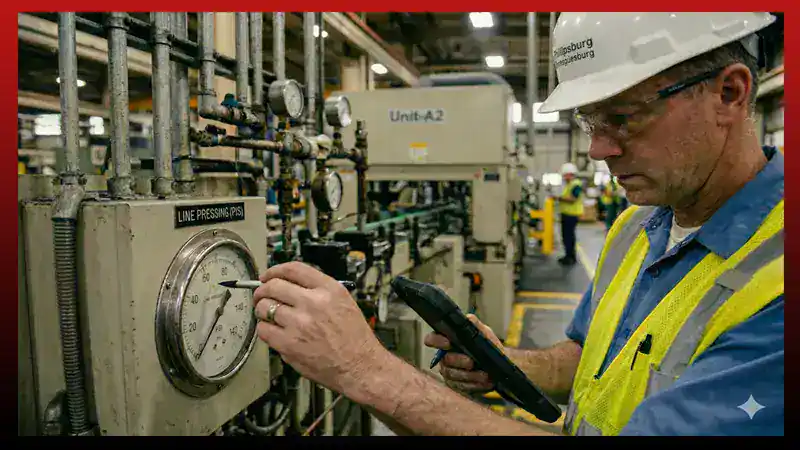
Customers Love Us!















How eWorkOrders Meter Readings Work — In Practice
Real capabilities your team uses every day to keep equipment running on the right schedule.
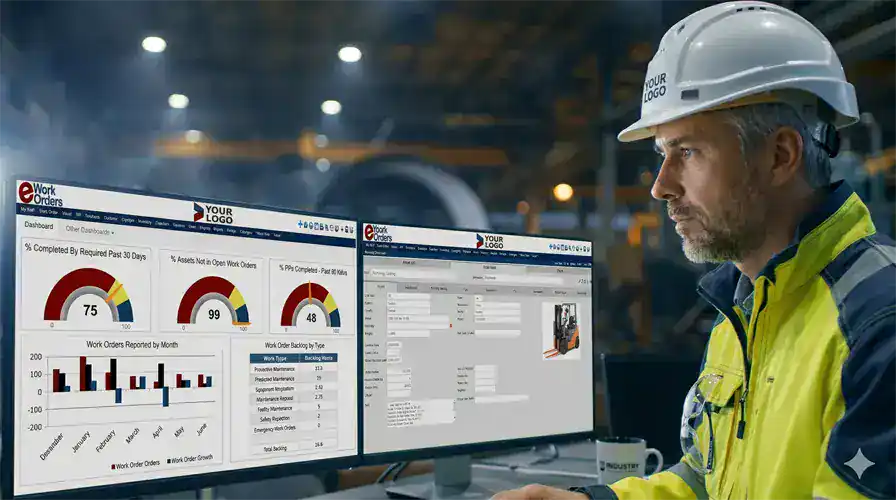
Know Exactly Where Every Asset Stands — Without Checking Manually
eWorkOrders tracks meter readings across every asset — runtime hours, miles, cycles, gallons, pressure readings, temperature, and custom units — on a single dashboard. Every reading updates in real time whether it came from a technician's mobile app, an IoT sensor feed, or a direct system integration.
When an asset hits its defined threshold, a preventive maintenance work order is automatically generated — assigned to the right technician with the full procedure and checklist already attached. No manual scheduling. No forgotten service intervals.
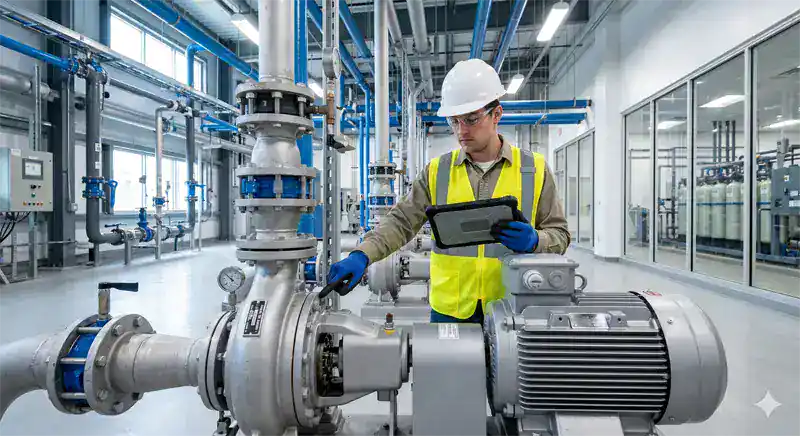
Technicians Log Readings at the Equipment — No Desk Trips, No Paper
With eWorkOrders mobile maintenance app, technicians enter meter readings directly from their iOS or Android device while standing at the equipment. Readings submit instantly, update the asset record in real time, and trigger PM work orders automatically if a threshold is crossed — no return to the office, no manual data transcription.
Technicians can scan a QR code on the asset to pull up the meter entry form immediately. Every submission is timestamped and linked to the specific asset's maintenance history — building a permanent, searchable record as your team works.
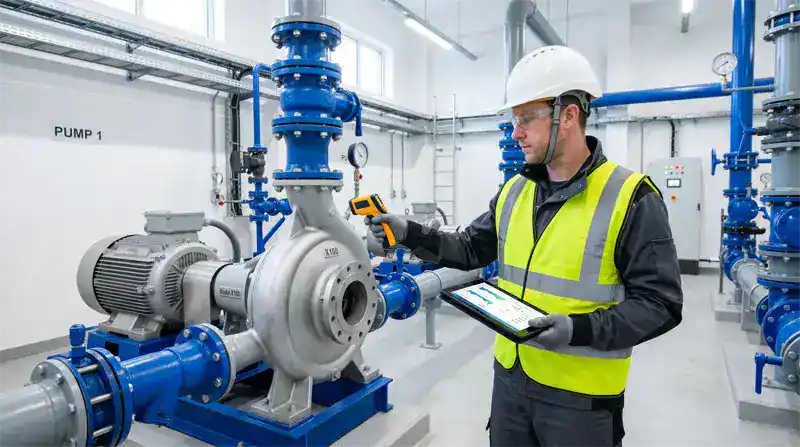
Connect Sensors and External Systems — Meter Readings That Update Themselves
eWorkOrders integrates with IoT-enabled sensors, smart meters, building automation systems, and ERP platforms via API. Runtime hours, cycle counts, fuel consumption, pressure levels, and temperature readings feed directly into the CMMS — continuously and automatically — with no manual collection required.
When a connected sensor reports a reading that crosses a defined threshold, eWorkOrders queues the PM work order immediately — before the equipment fails. This shift from calendar-based to condition-based maintenance is how leading organizations extend asset life and reduce emergency repair costs.
A Complete Meter History for Every Asset — From Day One to Today
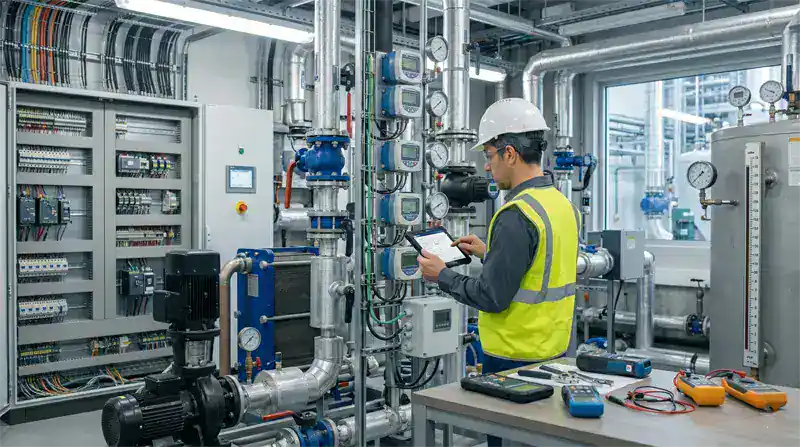
Every meter reading submitted is permanently stored against the asset record in eWorkOrders. Maintenance managers can view the full reading history for any asset — when readings were taken, who submitted them, what value was recorded, and which readings triggered a work order — from a single screen at any time.
This history is the foundation of smarter maintenance decisions. You can see actual usage rates versus assumed rates, identify assets running harder than expected, justify PM interval adjustments, and build the data that supports repair-or-replace decisions. It also creates the compliance audit trail required for regulatory reviews.
What Are Meter Readings in a CMMS?
Meter readings in a CMMS (Computerized Maintenance Management System) are numerical measurements that capture how much an asset has been used — expressed as runtime hours, mileage, cycle counts, production output, fuel consumed, or any custom unit that reflects actual usage. Rather than scheduling maintenance on a fixed calendar regardless of whether equipment has actually been used, meter-based maintenance triggers work orders only when an asset reaches a defined usage threshold — which is more accurate, more cost-effective, and better for asset longevity. According to the Deloitte Analytics Institute, predictive and condition-based maintenance reduces equipment breakdowns by 70% and lowers maintenance costs by 25%.
For maintenance managers, meter tracking means having a real answer to the question every team faces: "When does this machine actually need service?" Instead of guessing based on a calendar or being caught off guard by a failure, you have data. Siemens estimates that full adoption of condition monitoring and predictive maintenance could deliver a 40% reduction in maintenance costs across major industrial organizations — saving the Fortune Global 500 an estimated $233 billion annually. eWorkOrders gives your team the meter-based PM foundation that makes that possible.
How do meter readings connect to PM scheduling? In eWorkOrders, each asset can have one or multiple meters configured — hours, miles, cycles, temperature, pressure, gallons, or custom units. You set the PM threshold (for example, every 500 hours or every 10,000 miles). When a reading is submitted — by a technician, a sensor, or an automated integration — and the threshold is crossed, eWorkOrders immediately generates a preventive maintenance work order with the full checklist, required parts, and assigned technician. The process is entirely automatic.
See eWorkOrders CMMS in Action — Live Demo No Commitment
Meter Types Supported — Every Asset, Every Industry
eWorkOrders supports any measurable unit of asset usage. Configure multiple meters per asset and set independent PM thresholds for each.
| Meter type | Common assets | Trigger method | How eWorkOrders handles it |
|---|---|---|---|
| Runtime HoursHours | Pumps, compressors, generators, HVAC units, motors | Auto / Manual | PM work order is generated when runtime crosses threshold (e.g., every 500 hours). IoT sensor feeds or manual entry both supported. Full history tracked per asset. |
| Odometer / MileageMiles / km | Fleet vehicles, forklifts, cranes, mobile equipment | Manual / API | Technicians log mileage from mobile. PM work orders generate at defined intervals (e.g., every 5,000 miles) with oil change or service checklist pre-loaded. |
| Cycle CountsCycles | Presses, conveyors, CNC machines, packaging lines | Sensor / Manual | Count-based triggers handle production equipment that doesn't run by time. Every cycle increment updates the asset record and moves it closer to its PM threshold automatically. |
| Fuel / Fluid ConsumptionGallons / Liters | Generators, boilers, vehicles, hydraulic systems | Manual / Sensor | Track fluid consumption over time to spot inefficiency trends. Unexpected consumption spikes trigger alerts. PMs can trigger based on cumulative usage totals. |
| Temperature / PressureCondition | Boilers, chillers, pressure vessels, HVAC, pipelines | IoT / Sensor | Condition readings feed from IoT sensors. Threshold crossings — high temp, low pressure — trigger immediate work orders or alerts before the condition becomes a failure. |
| Custom UnitsAny metric | Any asset with a measurable usage dimension | Configurable | Define any meter unit that reflects how your specific equipment is used — tons produced, loads processed, parts stamped, or any other metric. Full PM automation applies to all custom meter types. |
Multiple meters per asset — all tracked simultaneously.
A single asset can have multiple meters running concurrently — for example, a generator tracked by both runtime hours (PM every 500 hr) and fuel consumption (alert at unusual rate). eWorkOrders manages all meters independently and generates the appropriate work order when any threshold is crossed. Every reading is timestamped and permanently stored in the asset maintenance history.
Everything Your Team Needs to Manage Meter Readings
From first reading to automated work order and the KPIs that follow, eWorkOrders handles the complete meter-to-maintenance lifecycle.
Log readings from any iOS or Android device directly at the equipment. QR code scanning pulls up the asset and meter form instantly. Submissions are real-time — no paper, no data transcription, no desk trips.
When a reading crosses a configured threshold, a preventive maintenance work order is generated automatically — with checklist, required parts, and assigned technician. No manual scheduling, no missed service intervals.
Connect smart sensors, IoT devices, building automation systems, and ERP platforms via API. Readings flow into eWorkOrders automatically and continuously — eliminating manual collection entirely for connected assets.
View current meter status across all assets — what's current, what's approaching threshold, what's overdue — from one dashboard. Usage rate trends, PM compliance tracking, and MTBF analysis update automatically from your meter data.
Configure multiple independent meters for a single asset — hours, cycles, fluid levels, and custom metrics all tracked simultaneously. Each meter has its own threshold and PM trigger, so complex assets are managed completely.
Every reading is timestamped with the submitting user, date, value, and asset — permanently stored and searchable. The complete meter history supports compliance audits, warranty claims, and insurance documentation without manual assembly.
Every reading ever submitted is permanently stored and searchable by asset, date, user, or value. Pull the full history for any asset in seconds — for audits, warranty claims, repair-or-replace analysis, or regulatory reviews.
eWorkOrders calculates actual usage rates over time — flagging assets running faster than expected and helping maintenance managers adjust PM intervals based on real data rather than manufacturer assumptions or guesswork.
Meter readings are woven into each asset's complete maintenance record — visible alongside work orders, parts history, costs, and inspection results. When a technician opens a work order, they see the full context of the asset's service history.
Attach a QR code or barcode to any asset. Technicians scan from their phone to open the meter entry form immediately — no searching, no asset ID lookup. Reading submitted, asset record updated, PM triggered if needed, all in seconds.
When meter readings trigger PM work orders, labor time and parts costs are captured automatically on closure — building true cost-per-runtime-hour data for every asset that justifies maintenance budgets and replacement decisions.
AI analyzes meter reading trends alongside work order history to identify patterns — recommending PM interval adjustments, flagging assets with unusual consumption rates, and suggesting preventive actions before failures develop.
How Meter-Based Maintenance Works in eWorkOrders
From reading submission to closed work order — every step tracked, documented, and visible to your whole team in real time.
In eWorkOrders, each asset record can have one or more meters configured — with the unit of measure (hours, miles, cycles, gallons, or custom), the PM trigger threshold, and optionally an early-warning alert level. Setup takes minutes per asset. Existing assets can be configured in bulk. Multiple meters on a single asset are fully supported and tracked independently.
Readings enter eWorkOrders through any combination of channels: a technician logs it on their mobile app after scanning the asset's QR code; an IoT sensor pushes readings automatically via API integration; a supervisor enters it directly in the web interface; or a connected system like an ERP or SCADA platform syncs data in real time. All sources update the same asset record.
The moment a submitted reading meets or exceeds the configured threshold, eWorkOrders generates a PM work order automatically — pre-loaded with the PM procedure checklist, required spare parts list, and assigned to the correct technician. An alert is sent to the technician and the maintenance manager simultaneously. No human decision-making required for the trigger.
The technician receives the work order on their phone with the full checklist, asset history, and parts list. They complete each step, log parts used, record actual labor time, capture photos if needed, and close the job from the field with a digital signature. All documentation is captured in real time — no paper forms to transcribe later.
On work order closure, the asset meter resets to the new baseline and the PM interval begins again. The completed work order joins the asset's full maintenance history. MTBF, cost-per-hour, and PM compliance rate recalculate automatically on your maintenance dashboard. Every service event becomes data that improves future PM intervals and supports repair-or-replace decisions.
Why Maintenance Teams Choose eWorkOrders for Meter Readings
Built for maintenance since 1995. Independent, US-based, and built for customers — not investors.
All technicians submitting meter readings are included at no extra cost on Starter ($380/mo) and Advanced ($480/mo) plans. Add the whole team without touching your budget. See all plans →
eWorkOrders connects to IoT sensors, smart meters, and external systems via API so readings update automatically. Several customers have live runtime feeds from facility automation systems triggering PMs directly in eWorkOrders.
Your system — including asset records, meter configurations, and PM templates — is live within 24 hours of signup. Most teams complete full data migration and go-live in 2–3 weeks with help from our US-based onboarding team.
Founded 1995. Built for customers, not investors. 120+ awards. 4.9 stars on Capterra. Product decisions driven by what makes maintenance teams more effective — not investor returns.
When you call with a question about meter configuration or a threshold setup, a knowledgeable person picks up and responds within hours — not days. This is the primary reason customers stay and switch from larger platforms.
SSO, role-based permissions, complete audit trails for every meter reading and every triggered work order, and one of the highest security ratings in the CMMS industry. Your operational data is protected at every level.
Common Meter Reading Challenges — And How eWorkOrders Solves Them
Maintenance teams across every industry struggle with the same fundamental problem: equipment usage doesn't map neatly to calendar dates, but most PM systems are calendar-driven. 82% of companies experienced unplanned downtime in the past three years, costing an average of $260,000 per hour (Aberdeen Group) — and missed or poorly timed PMs are a preventable contributing cause. eWorkOrders meter readings software solves this with automated collection, threshold-based PM triggers, and real-time dashboards — so every service happens at exactly the right time.
Paper Logs and Spreadsheet Tracking
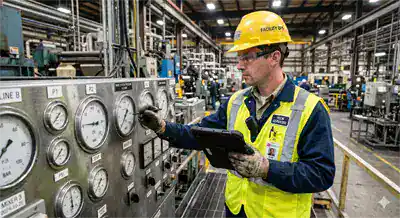
Meter readings captured on paper or spreadsheets never make it into the maintenance system in time to trigger PMs. Data is stale, inconsistent, and often lost entirely. eWorkOrders captures readings from mobile at the equipment — real-time, always in the system.
Calendar PMs That Don't Match Actual Usage
Servicing equipment on fixed calendar intervals over-maintains low-use assets and under-maintains high-use ones — wasting money and missing real risk. Meter-based PM scheduling in eWorkOrders triggers based on actual usage, not assumptions.
Threshold Crossings That Go Unnoticed
Without automated alerts, readings that cross a PM threshold sit unnoticed until someone checks a log — by which time the service window has passed and the risk of failure has increased. eWorkOrders sends notifications immediately when any threshold is crossed.
No Historical Data for Decisions
Without a meter history, teams can't optimize PM intervals, identify assets running harder than expected, or build the cost-per-hour data needed to justify capital replacement. eWorkOrders stores every reading permanently against the asset record.
Meter Readings for Every Asset-Intensive Industry
If your equipment has a measurable usage dimension, eWorkOrders tracks it and acts on it.
Track runtime hours on motors, presses, conveyors, and CNC machines. Cycle-count triggers on production lines. IoT integration with facility automation systems for fully automated reading collection. Trusted by Honda.
Odometer readings, engine hours, and fuel consumption tracked per vehicle. PM work orders generate automatically at defined mileage intervals for oil changes, tire rotations, and inspections — across every vehicle in the fleet.
Pump runtime hours, blower cycles, and flow-volume meters tracked with timestamped audit records. Meter-based PM work orders generate automatically when equipment reaches its service threshold — keeping critical treatment processes on schedule and maintenance documentation audit-ready.
Generator runtime hours, turbine cycles, and condition readings from connected sensors. Condition-based PM triggers prevent failures in high-criticality equipment. Complete audit records for regulatory compliance reviews.
HVAC runtime hours, elevator cycles, and chiller operating hours tracked across all buildings. Meter-triggered PMs replace fixed-calendar schedules — reducing unnecessary service calls and extending equipment life across the portfolio.
Track conveyor cycles, packaging line counts, and refrigeration runtime with HACCP-compliant records. Meter readings linked to PM work orders generate the documentation required for FDA and food safety audits automatically.
Proven Results — Real Customers
"I truly believe that if a company really wants to achieve success with a new CMMS solution, eWorkOrders is the one to go to. They will not disappoint you. The team works closely together and have exceeded our expectations."

Ryan

An Easy-to-Use CMMS with Fast Setup and Exceptional Customer Support
eWorkOrders is super easy to learn and use! it is very easy to setup as well. They provide excellent customer service. When I have a question or concern, they respond within hours, not days. That’s h...

An Easy-to-Use CMMS with Fast Setup and Exceptional Customer Support
eWorkOrders is super easy to learn and use! it is very easy to setup as well. They provide excellent customer service. When I have a question or concern, they respond within hours, not days. That’s huge for me.
They always care about what we, the customers, want. I could not ask for better support. The product is super.
Ryan

Carmel

Streamlined Maintenance, Better Communication & KPI Insights with eWorkOrders
The use of the eWorkOrders platform has facilitated the management and streamlining of our operations and maintenance workflow. System features, coupled with the responsiveness of the eWorkOrders tec...

Streamlined Maintenance, Better Communication & KPI Insights with eWorkOrders
The use of the eWorkOrders platform has facilitated the management and streamlining of our operations and maintenance workflow. System features, coupled with the responsiveness of the eWorkOrders technical team to custom solutions, have enabled our company to increase productivity and efficiency, integrate data with other systems, improve facility maintenance communications, streamline our business processes, and perform continuous process improvement benchmarking through KPI analysis.
Carmel

Aaron

eWorkOrders: Best CMMS for Easy Work Orders & Accurate Inventory
Creating and monitoring work orders is very intuitive and valuable. The ability to verify what work was done and what parts were used is priceless. The inventory and purchase orders are intuitive and ...

eWorkOrders: Best CMMS for Easy Work Orders & Accurate Inventory
Creating and monitoring work orders is very intuitive and valuable. The ability to verify what work was done and what parts were used is priceless. The inventory and purchase orders are intuitive and a must as well. Being able to track on-hand inventory and how it flows is extremely valuable.
We chose eWorkOrders due to its superior ability to record the purchase and tracking of inventory. Also, the work order information was much more detailed and easy to use than anything on the market. The tech support is amazing as well! They ALWAYS respond to any issue or suggestion that we have in a timely and professional manner.
The implementation of this system has allowed us to document the work we perform on our plant equipment, both for maintenance and for safety records. We can now historically track all parts used and time spent on assets. We also have detailed records of the company assets as well.
The inventory portion allows us to order and track inventory as well as accurately cost what we use and check vendor pricing.
Aaron
Ready to Stop Guessing When Equipment Needs Service?
Common Questions About Meter Readings in a CMMS
Everything maintenance managers ask before setting up meter-based PM scheduling.
What are meter readings in a CMMS?
Meter readings in a CMMS are numerical measurements of asset usage — runtime hours, mileage, cycle counts, fuel consumption, pressure, temperature, or any custom unit — logged against a specific asset in the maintenance system. They allow the CMMS to trigger preventive maintenance work orders based on actual usage rather than calendar dates. In eWorkOrders, meter readings can be entered manually via mobile app, collected from IoT sensors, or fed from external systems via API — and they automatically generate PM work orders when a configured threshold is crossed.
How do meter readings trigger preventive maintenance in eWorkOrders?
When you configure a meter in eWorkOrders, you set a PM threshold — for example, a PM every 500 runtime hours. Every time a reading is submitted, eWorkOrders checks the cumulative total against the threshold. The moment the threshold is crossed, a PM work order is automatically generated with the full PM checklist, required spare parts, and assigned technician — and notifications are sent to both the technician and the maintenance manager. No manual action is required.
Can I have multiple meters on a single asset?
Yes — eWorkOrders supports multiple independent meters on a single asset. For example, a generator could be tracked by both runtime hours (PM every 500 hr) and fuel consumption (alert at unusual rate increase). Each meter tracks independently and generates its own PM work order when the threshold is crossed. This is especially valuable for complex equipment with multiple service dimensions that don't align to a single measurement.
What meter types does eWorkOrders support?
eWorkOrders supports any measurable unit of asset usage. Standard meter types include runtime hours, odometer/mileage, cycle counts, fuel or fluid consumption, temperature, and pressure. You can also define completely custom meter units — tons produced, loads processed, parts stamped, or any metric that reflects how your specific equipment is used. All meter types support the same automated PM trigger and threshold alert functionality.
Can meter readings be collected automatically from IoT sensors?
Yes — eWorkOrders integrates with IoT sensors, smart meters, building automation systems, SCADA platforms, and ERP systems via API. When connected, readings flow into eWorkOrders automatically and continuously without any manual data collection. Several eWorkOrders customers have integrated live runtime hours and alarm data from their facility automation systems to auto-trigger PM work orders directly in eWorkOrders.
How do technicians submit meter readings in the field?
Technicians use the eWorkOrders iOS or Android mobile app to submit meter readings directly at the equipment — without returning to a desk or writing anything on paper. They can scan the QR code attached to the asset to pull up the meter entry form immediately. The reading submits in real time, updates the asset record, and triggers any applicable PM work order automatically — all in seconds from the field.
Are meter reading histories stored for compliance purposes?
Yes — every reading submitted is permanently stored against the asset record in eWorkOrders with a full timestamp, the submitting user, the value recorded, and whether the reading triggered a work order. This history is searchable by asset, date range, or user. It creates the audit trail required for FDA, OSHA, EPA, and other regulatory reviews — generated automatically as your team works, not assembled before audits.
What KPIs does eWorkOrders calculate from meter data?
eWorkOrders uses meter reading history to calculate MTBF (Mean Time Between Failures), cost-per-operating-hour, PM compliance rate against the 90%+ SMRP world-class benchmark, actual vs. expected usage rates, and backlog by asset. These KPIs update automatically from your real data — no spreadsheet required. The usage rate analysis in particular helps maintenance managers identify which assets are running faster than their PM intervals were designed for and adjust service thresholds accordingly.
1 eWorkOrders CMMS. KPI Benchmarks and Maintenance Performance Targets. https://www.eworkorders.com
2 Society for Maintenance & Reliability Professionals (SMRP). SMRP Best Practice Metrics. https://www.smrp.org
What is the difference between calendar-based and meter-based PM scheduling?
Calendar-based PM scheduling triggers maintenance on fixed intervals — every 30 days, every 3 months — regardless of how much the asset was actually used. Meter-based scheduling triggers maintenance when an asset reaches a specific usage level — every 500 hours, every 10,000 miles, every 50,000 cycles. Meter-based scheduling is more accurate and cost-effective because it services equipment based on actual wear rather than assumptions. It avoids over-maintaining low-use assets and under-maintaining high-use ones. eWorkOrders supports both methods — and many organizations use a combination, with whichever threshold is reached first generating the PM work order.
Meter Readings & Preventive Maintenance Resources
Guides, templates, and tools to help your maintenance team operate at world-class levels.













Service Equipment When It Actually Needs It
Join Honda, McDonald's, Virginia DOT, and thousands of maintenance teams running eWorkOrders CMMS. Schedule a free demo of the full platform — built around your facility, assets, and compliance requirements.
All third-party statistics are sourced from publicly available, independently published industry research and are used for informational purposes. Capterra, G2, GetApp, and Software Advice badge imagery is the intellectual property of their respective owners, displayed consistent with each platform’s standard badge-use policies. eWorkOrders images used on this page are owned by Information Services Group LLC and used with permission. eWorkOrders® is a registered trademark of Information Services Group LLC. No competitor names or trademarks are referenced on this page. Statistics presented reflect published industry research findings and individual results will vary. |
1. Siemens. The True Cost of Downtime 2024. |
2. Aberdeen Group. After The Fall: Cost, Causes and Consequences of Unplanned Downtime. |
3. Deloitte Analytics Institute. Predictive Maintenance Position Paper. |
4. Aberdeen Group, via Infraspeak. Maintenance Statistics and Trends.


